
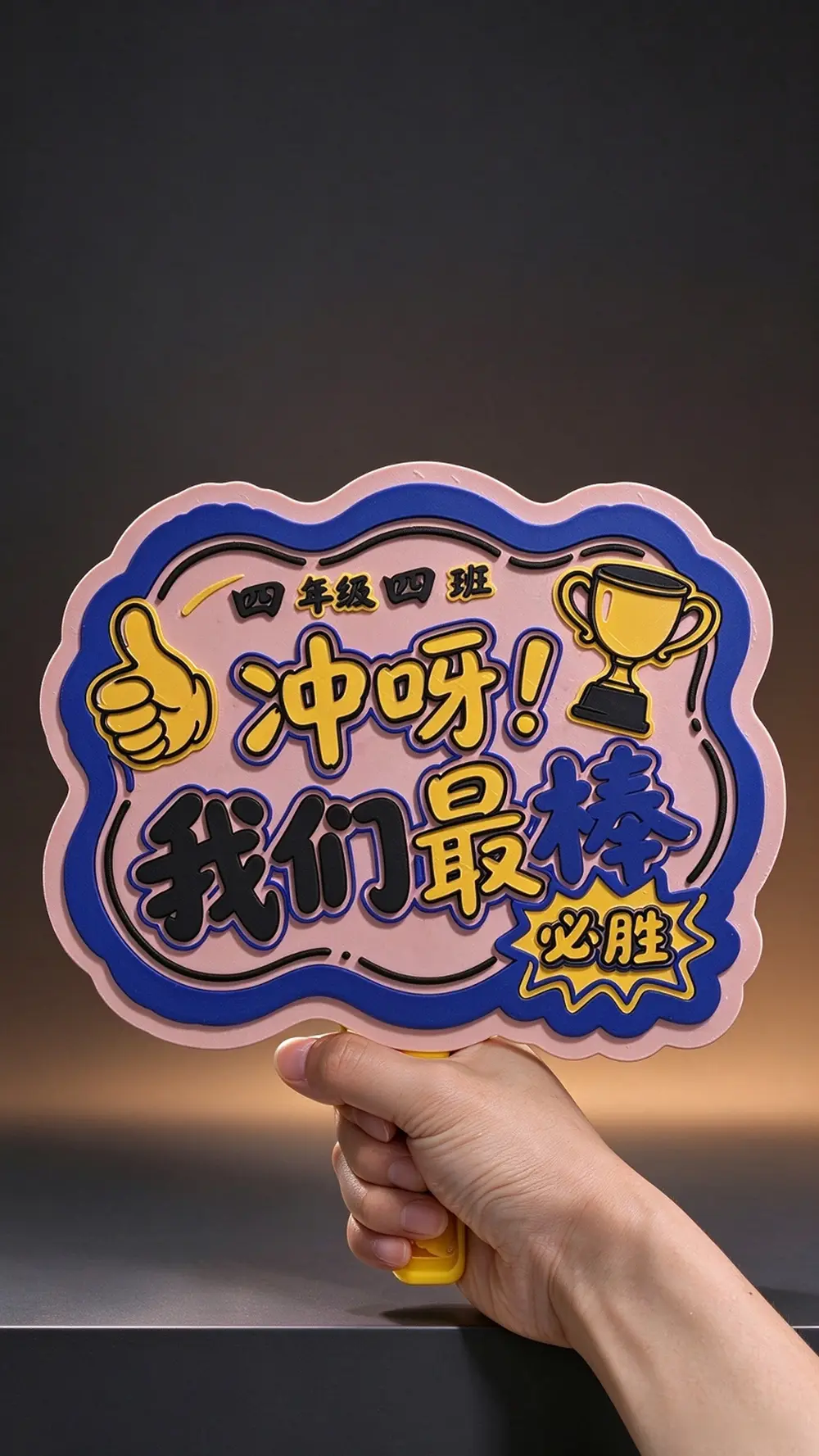
可改班级运动会应援牌&加油牌/Class Sports Meet Cheer Sign


下周一学校运动会要孩子们自制班级加油标语牌,于是咱搓一个交给3D打印机造出来。(打印前看完说明)
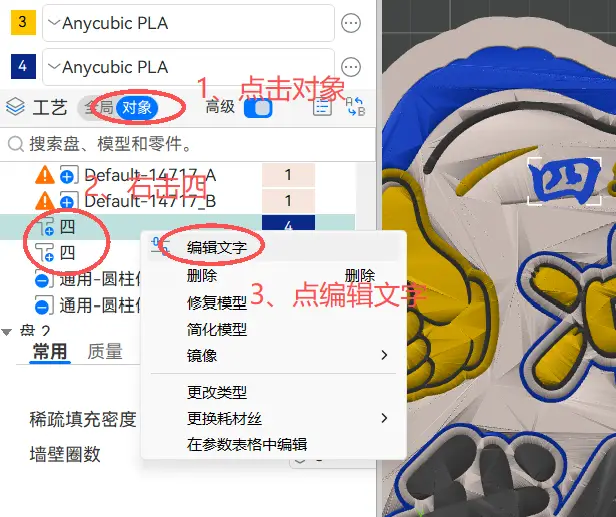
年级班级文字可更改:操作看下图
点击对象找到两个四,第一个四是年级,第二个四是班级。自行更改即可。(每个人电脑里已安装字体不同,不用强求一致,建议用楷体较为协调)
The school sports meet will be held next Monday. Kids need to make custom class cheer signs, so I designed one to be printed by a 3D printer. (Read the instructions before printing)
Grade and class text are editable: See the figure below for instructions
Click the object and locate the two "4"s. The first "4" stands for the grade and the second for the class. You may edit them freely. (Fonts installed vary from computer to computer; identical fonts are not required. Regular script is recommended for better visual consistency.)
打印注意:
1、加油牌本体有两个圆柱负零件,不要移动、更改、删除,此两孔对应手柄安装位置。
2、手柄底面有文字负零件可删除或自行更改为自己宝贝的名字。(操作参考上图)
安装注意:安装非常简单就不详细说明了,手柄对准孔位安装,需加胶水固定在加油牌上。
Printing Notes:
- There are two cylindrical negative features on the cheer sign body. Do not move, modify or delete them; these two holes correspond to the mounting positions for the handle.
- There is a text negative feature on the bottom of the handle which can be deleted or changed to your kid's name. (Refer to the image above for operation)
- Assembly Notes:
- Assembly is straightforward and will not be elaborated. Align the handle with the holes for installation, glue is required to secure it to the cheer sign.
