
2025-09-18 10:21:24
5.9k
412
ACE Pro Sensor Rail Mount 2025

@Wickedream_915036
Donate
Message
Follow
Recommended printing method
Add
Ace Pro Sensor Rail Mount

Kobra 3 V2
/ Plates:1
/ 0m
85
Share


Description
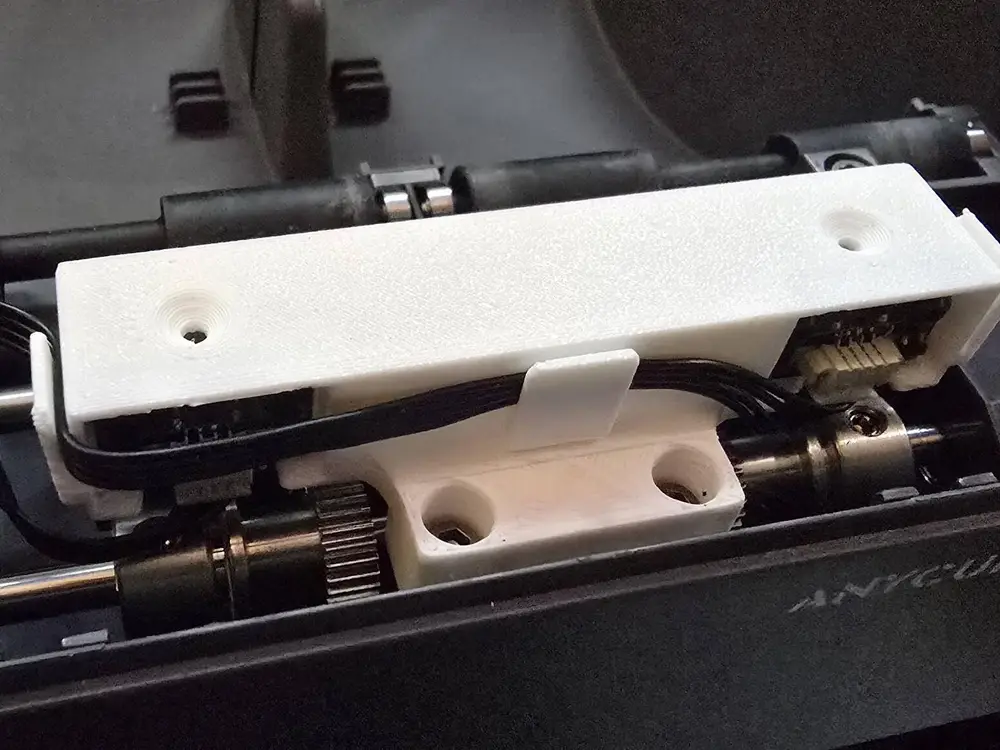
ACE Pro Sensor Rail Mount – Direct Detection Fix
The "Why": If your Anycubic ACE Pro is throwing "No Filament" errors even though your spool is loaded, the culprit is often the small mechanical "flag" inside the sensor rail. Over time, this plastic flag wears down or sticks, causing the system to fail.
I designed this Direct Sensor Rail Mount to act as a permanent fix. By positioning the optical sensor for direct detection, you remove the mechanical middleman. This ensures the ACE Pro can actually "see" the filament without relying on a worn-out plastic flag that’s prone to failure.
Why This Fix is Essential:
- Keep Running: Avoid total unit downtime caused by a tiny, worn-out plastic component.
- Bypass Mechanical Wear: Moves from a physical "flag" system to a direct optical reading, which doesn't wear out over time.
- Reliable Detection: Restores consistent filament sensing, stopping the false "empty" errors that ruin long prints.
- Simple Installation: A precision-fit mount designed to get your Kobra 3 Combo back in service immediately.
Recommended Print Settings:
- Material: PETG, ASA, or ABS (Required for heat resistance and long-term durability).
- Walls: 3–4 walls for structural stability.
- Infill: 25%–50%.
- Supports: No supports required.
Tags
License
This remix is based on

Ace Pro - Filament Sensorschiene verbessert
