
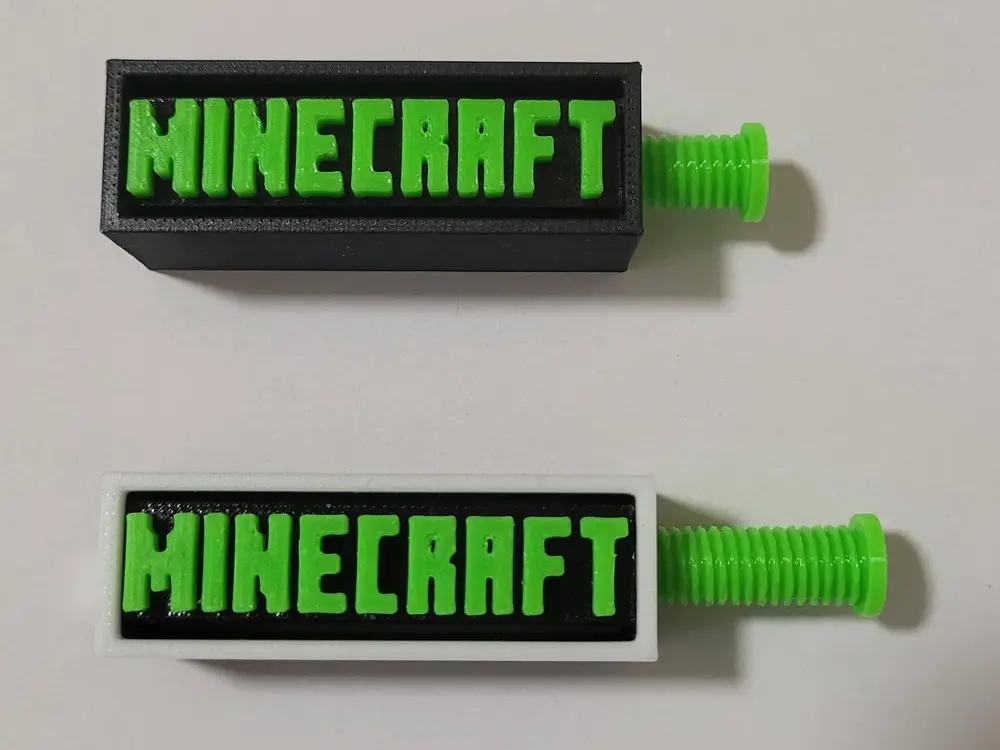
Adjustable graphic card holder bracket Minecraft


Separated into three trays
Tray 1, the main body. Print with 0,2 layer height. (No support needed)
Tray 2, Minecraft text. I put it on a separate tray to save filament and print faster. When finished, press into main body, use of small superglue recommended. (No support needed)
Tray 3, inner adjusting rod, use 0.12 layer height, otherwise thread may be tight. (No support needed)
An 8x2 mm magnet can be placed in the bottom of the object.
Adjustable between 64 and 114 mm.
Print profile from Anycubic Slicer:
All three items are on one tray, in which case I suggest printing them separately as I wrote above. Firstly, to save material and print faster, and secondly for quality. If the inner bar is also printed with a layer height of 0,2 mm it will be tight.
Do not resize.
You are prohibited from sharing, sub-licensing, selling, renting, hosting, transferring, or distributing the digital file or 3D printed versions of this object, as well as any other derivative work in either digital or physical form (including remixes).You are not allowed to use the objects in any manner that involves charging money or collecting fees without permission.
