
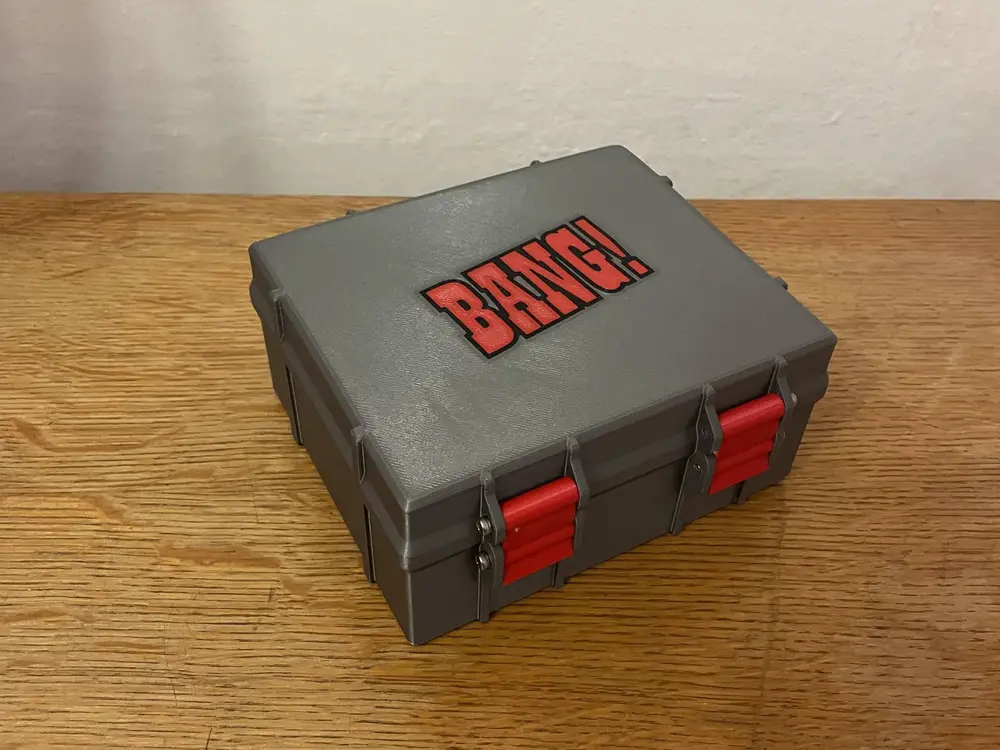
Albi Bang! card box


Albi Bang! box storage and dividers.
I was looking for some good dividers and storage box for card game Bang! and I couldn't find any nice looking. So I found Rugged box, which I am now using as storage for nearly everything and created this storage box for Bang! cards.
Everything should be in right orientation. You have to print everything once, only Pieces and Latch have to be printed two times.
You can print this with a single extruder with manual filament changes, or MMU (or Bambu AMS).I included a Prusa Slicer Project file for the MK4 with InputShaper with manual filament change. You can easily adapt this to any other printer.
For completion you will need 6x M3x30 screws.
Printed with PLA, 0,2 layer height, 04 nozzle.
Colour change order for manual swaps of the Bang_Box_Lid.3mf:
1. Background first (Grey)2. Outline (Black)3. Bang logo (Red)
Then it repeats for the second layer starting with the red color, already in the nozzle.5. Bang logo (Red)6. Background (Grey)7. Outline (Black)8. Rest of the lid (Grey)
Multi-Colour instructions with manual filament change:
- Use my .3mf file for the Prusa MK4 with InputShaper
OR
- Set the printer up: (Source)
- Import the Lid.stl and split it into parts
- Adjust the colours of the box and font
- Send it to the printer and enjoy =)
Please leave a like and show me your make! =)
