
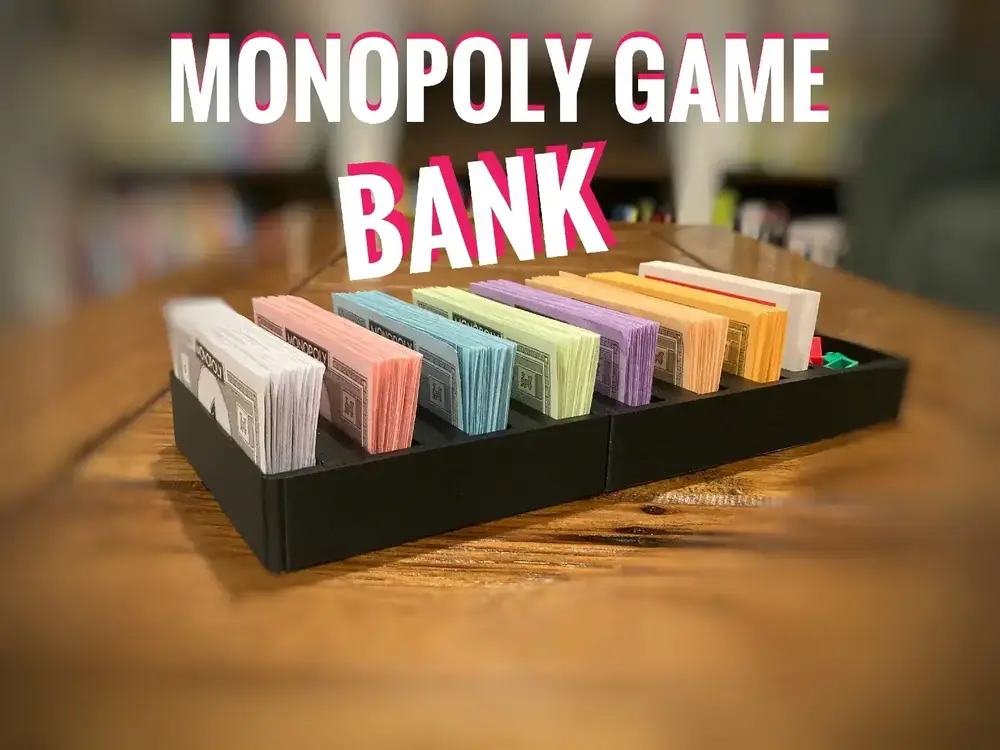
Bank for Monopoly Game


The version of Monopoly game that I have comes with a bank that doesn't work well so I decided to make a new one.
Directions:
Any layer height. This model isn't very detailed so .3mm is faster.
To make it look better you can print the insides different colors (see images).
It is too big to be printed on most printers so I included a version that is split in half, if you want to split it differently or you think it will be to tight you can use the cut tool in your slicer. (See the guide below.)
If you want to make the inside a different color that you don't have, you can print it in white, then use a permanent marker to color it in.
Don't forget to share a make of your print.
>More games and game accessories<
How to cut a large model to fit your printer: (OPTIONAL - a model for larger printers and one for smaller printers is already available, if you wish to customize it yourself instead then here are the instructions.)
If your 3D printer is not large enough, you can split the model to smaller pieces!
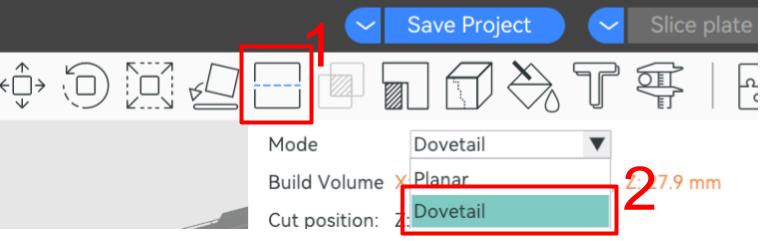
- Select the “cut tool”
- Select “Dovetail” (This adds a connecter so the two pieces can connect easily).
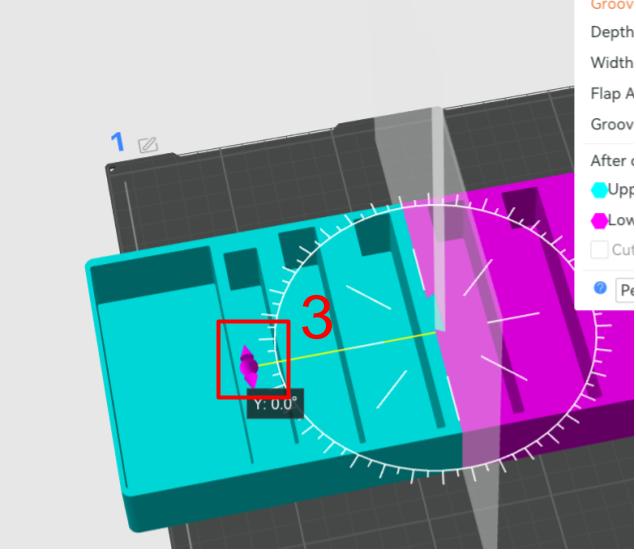
3. Rotate the cut so that it is aligned with your model.
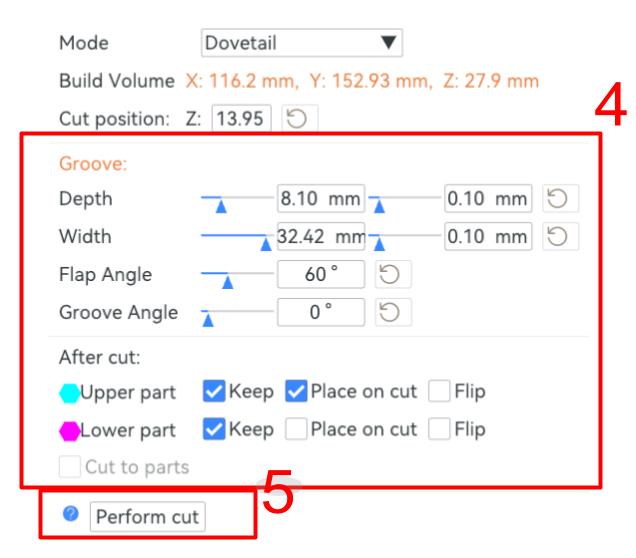
4. Adjust settings - Every printer is different so you will need to find settings that work for your machine.
5. Select “Perform Cut”
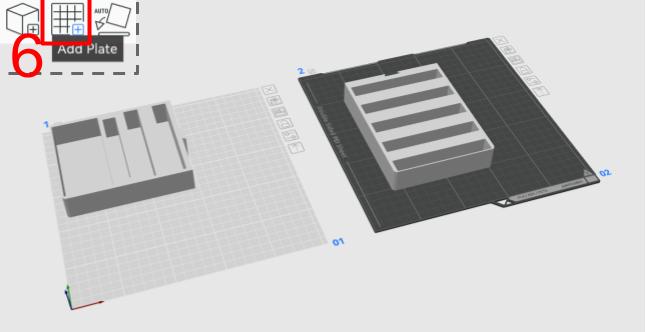
6. Add the pieces to separate plates.
