
2026-10-17 02:05:49
836
121
Battleship Board Game

@BrightMinds_2542267
Donate
Message
Follow
Recommended printing method
Add
PLA Basic (Print as setup)

Kobra S1
Kobra 3
、
Kobra 4
、
Kobra X
、
Kobra 3 V2
、
Kobra 3 Max
/ Plates:8
/ 9h1m
26
Share


Description
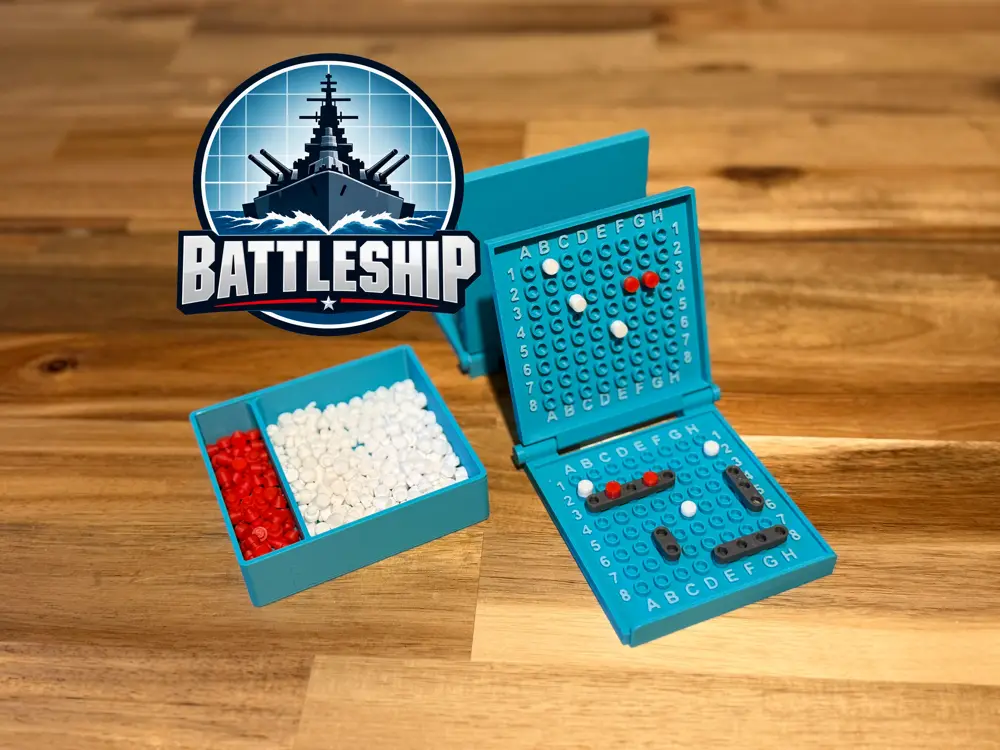
Battleship Board Game
- Print all pieces (the travel case frame is optional if you wish to keep the boards together when travelling)
- Place the white miss shells into the large side of the shell container and the red hit pieces into the smaller side
- Place one of each of your ships on your own play board in the flat piece, fold the board up so the top piece is upright
- Take turns calling out a grid position to shoot (e.g. B4)
- If a ship piece is in the square call hit, the player shooting marks a red shell onto their upright board, the hit player places a red shell onto the hit ship
- If the square shot is empty call miss and the shooting player places a white shell onto their upright board, the defending player places the white shell onto their horizontal board.
- Once a ship is destroyed (all squares hit) declare this to the shooting player.
- Once you eliminate all of one players ships you are the winner.
Tags
License
Standard Digital File License
This work is licensed under the Standard Digital File License.
You are prohibited from sharing, sub-licensing, selling, renting, hosting, transferring, or distributing the digital file or 3D printed versions of this object, as well as any other derivative work in either digital or physical form (including remixes).You are not allowed to use the objects in any manner that involves charging money or collecting fees without permission.
You are prohibited from sharing, sub-licensing, selling, renting, hosting, transferring, or distributing the digital file or 3D printed versions of this object, as well as any other derivative work in either digital or physical form (including remixes).You are not allowed to use the objects in any manner that involves charging money or collecting fees without permission.
