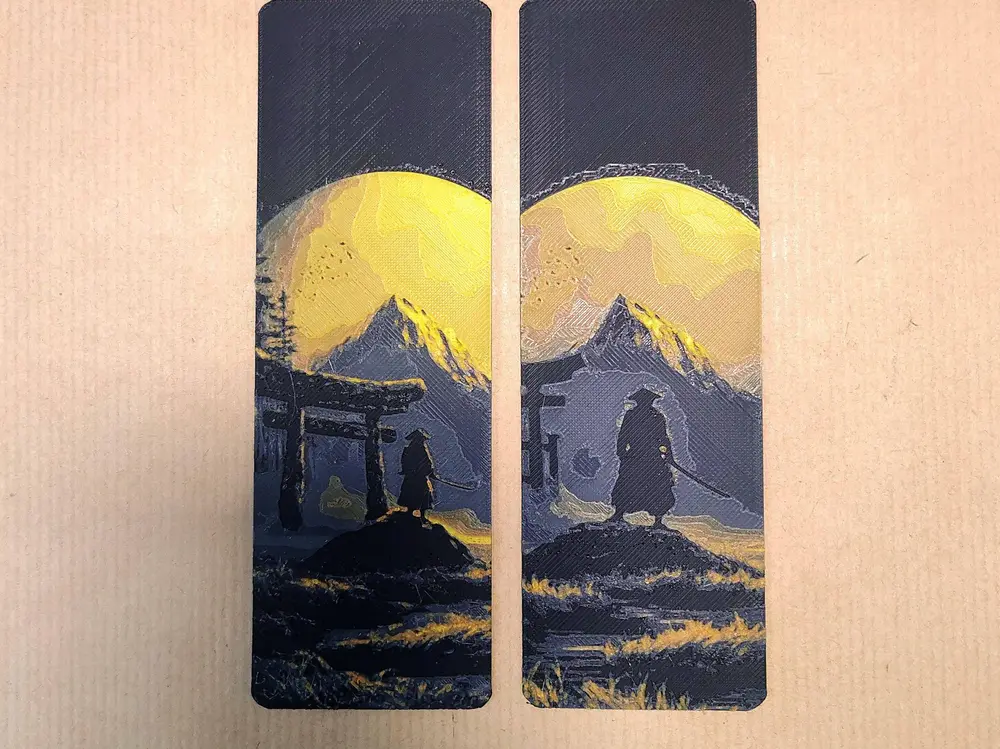
Bookmark Japan landscape


Print at 100% infill with a layer height of 0.08mm with a base layer of 0.16mm.
Can be printed with manual filament change only (setting filament change or pause in the slicer). No automatic material system required.
There are beds in the print profile.
"Clean" - bookmark without a hole.
"With hole" - bookmark has a negative part inserted.
2 version STL - size 50x150 and 65x200mm. Or you can modify the X and Y dimensions. Do not adjust the height (Z) in your slicer! The layers would not be correct.
You may print at higher layer heights below the Min Depth of 0.48mm. The Max Depth is 1.84mm and the Actual Depth is 1.84mm.
Filaments used/color setting:
PLA Anycubic Black Transmission Distance: 0.3
PLA Sunlu Meta Grey Transmission Distance: 3.5
PLA Elegoo + Orange Transmission Distance: 6
PLA Elegoo + Yellow Transmission Distance: 4
This print uses 4 unique filaments
Swap Instructions:
Start with Black
At layer #8 (0.72mm) swap to Grey
At layer #10 (0.88mm) swap to Orange
At layer #15 (1.28mm) swap to Yellow for the rest.
You are prohibited from sharing, sub-licensing, selling, renting, hosting, transferring, or distributing the digital file or 3D printed versions of this object, as well as any other derivative work in either digital or physical form (including remixes).You are not allowed to use the objects in any manner that involves charging money or collecting fees without permission.