Burt Simpson


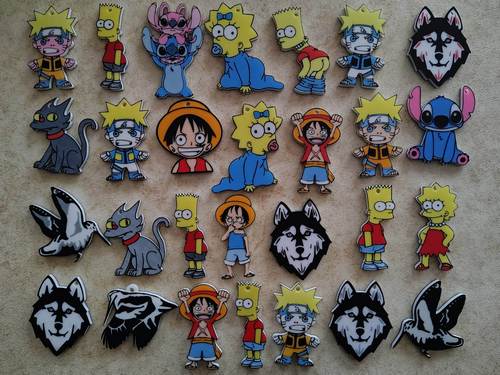
Portachiavi di Burt Simpson.
L'immagine è Stampata da entrambi i lati del portachiave (Fronte/Retro), facile da stampare.
Come stampare Burt Simpson con 5 Colori con ACE
1 - Avviare la Stampa.
2 - Selezionare il colore Blu nello slot 5 per lo scambio con Il Colore Nero.

3 - Inviare alla Stampante.
4 - Aspettare fino a quando la Stampante va in Pausa in automatico.
5 - Quando la Stampante é in Pausa, cambiare il filamento di colore Nero, con il Filamento Colore Blu.
6 - Dopo aver cambiato colore, riprendere la Stampa.
7 - Al 35 layer la stampante andra in Pausa in automatico,
8 - Quando la Stampante é in Pausa, cambiare il filamento di colore Blu, con il Filamento di colore Nero.
9 - Dopo aver cambiato colore, riprendere la Stampa per finire di stampare.
-------------------------------------------------------------------------------------------
How to print Burt Simpson with 5 Colors using ACE
1 - Start the Print
2 - Select the blue color in slot 5 to swap with the black color

3 - Send to the Printer
4 - Wait until the Printer automatically pauses
5 - When the printer pauses, change the black filament with the blue filament
6 - After changing the color, resume the Print
7 - At the 35th layer the printer will automatically pause
8 - When the Printer pauses, change the blue filament with the black filament
9 - After changing the color, resume the Print to finish printing
You are prohibited from sharing, sub-licensing, selling, renting, hosting, transferring, or distributing the digital file or 3D printed versions of this object, as well as any other derivative work in either digital or physical form (including remixes).You are not allowed to use the objects in any manner that involves charging money or collecting fees without permission.