
2025-11-27 02:07:56
377
24
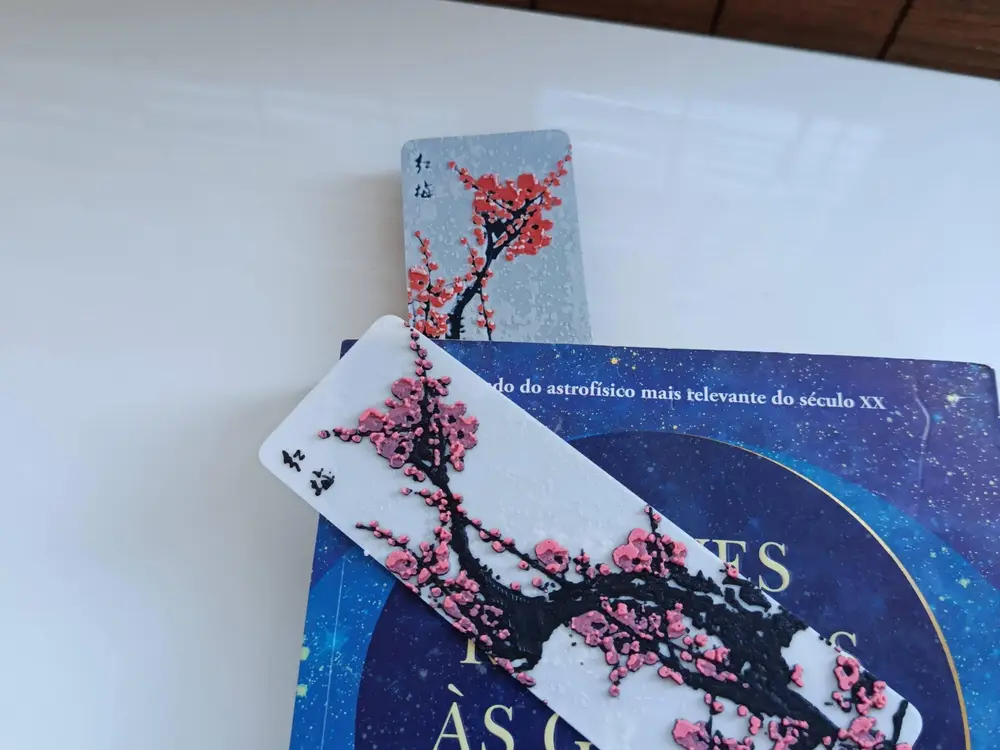
Cherry blossom Hueforge Bookmark

@PrintCube3d_2064362
Donate
Message
Follow
Recommended printing method
Add
kobra s1 combo

Kobra S1
Kobra 3
、
Kobra 4
、
Kobra X
、
Kobra 3 V2
、
Kobra 3 Max
/ Plates:1
/ 1h35m
4
Share


Description
Printing tips
- Do not simplify the model.
- Dont scale the Z-Axis, otherwise the color layers no longer fit. Apart from the Z-axis, the model can be scaled as desired
There are two models Cherry and Cherry 2, with the only difference being the colors used.
The Model is 47x148mm in size
There are the stl files and the 3mf for anycubic slicer
HueForge Print & Swap Description
Using a 0.4 Nozzle
IMPORTANT -> Print at 100% infill with a layer height of 0.08mm with a base layer of 0.16mm
Filaments Used:
- #ffffff PLA Anycubic White Transmission Distance: 11
- #000000 PLA Anycubic Black Transmission Distance: 0.8
- #ff8da1 PLA Anycubic Pink Transmission Distance: 3
- #c8102e PLA Anycubic Red Transmission Distance: 7
This print uses 3 unique filaments
Cherry :
Swap Instructions:
- Start with White
- At layer #7 (0.64mm) swap to Black
- At layer #12 (1.04mm) swap to Pink for the rest.
Cherry 2:
Swap Instructions:
- Start with Black
- At layer #7 (0.72mm) swap to White
- At layer #13 (1.12mm) swap to Red
- At layer #21 (1.92mm) swap to White for the rest.
Tags
License
