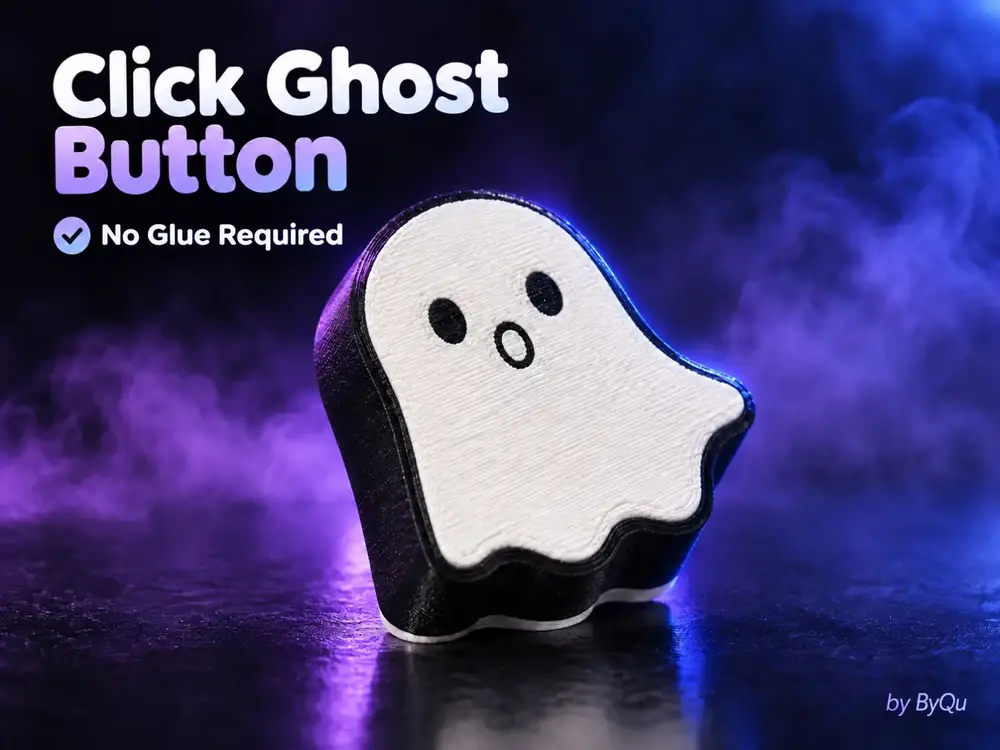
Click Ghost Button by ByQu


Hello everyone!
I'm happy to share my new project - the Click Ghost Button, a fun, stress-relieving button that also makes a satisfying clicking sound.
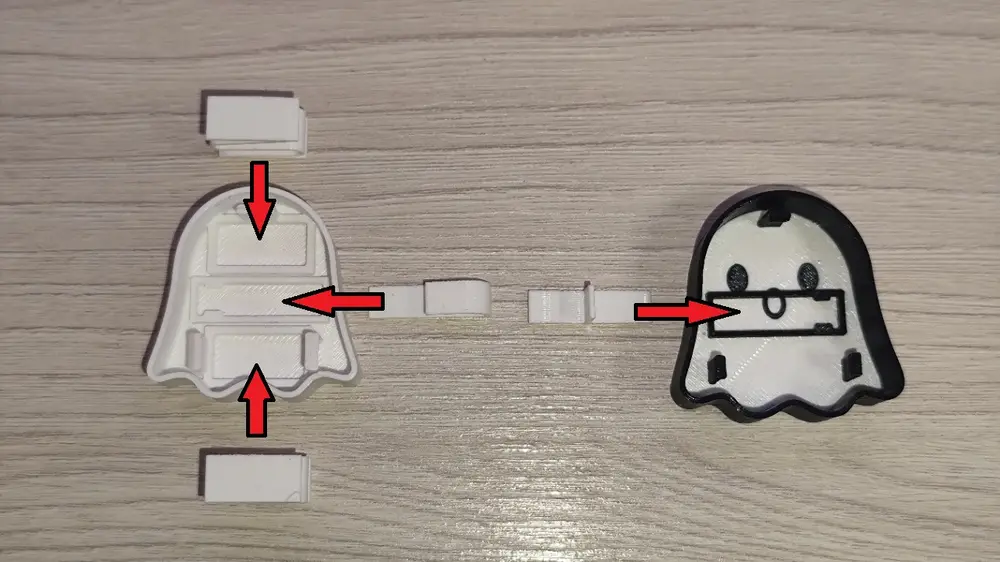
What makes this design special is that it requires no glue. Simply assemble all parts according to the photos and enjoy your little ghost-shaped clicker!
Assembly
- The internal parts need to be assembled - insert all components as shown in the assembly diagram.
- The guides responsible for the clicking mechanism, in the center of the ghost, are intentionally designed to fit quite tightly. You may need to apply a little force when inserting them, or use pliers if necessary. This depends greatly on print quality and your printer's accuracy - in my case, I was able to assemble everything without any tools.
- The orientation of the springs does not matter. The internal parts are designed in a way that makes it very difficult to assemble them incorrectly. 🙂
This project took quite a lot of time and several test prints to refine all details and make sure everything works properly.
Print settings
- Nozzle: 0.4 mm
- Material: PETG (PLA also works), 2 colors - white and black
- Layer height: 0.20 mm
- First layer: 0.30 mm
- Walls: 2
- Infill: 15%
- Supports: no
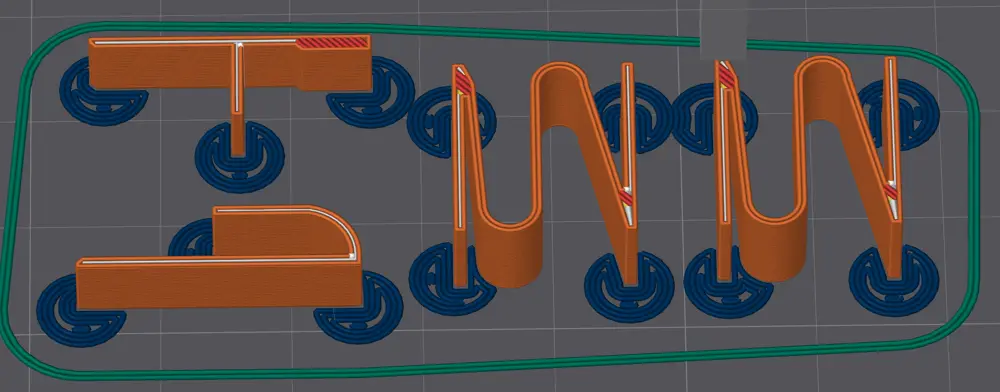
- Brim: mouse ears on the springs (already set in the project file), plus a skirt
- Orientation: as in the project file
- Plates: 2
- Print time: 46 min · Filament: 14 g
For printing the springs, I recommend using mouse ears (small adhesion tabs), as these are tiny parts and can easily detach from the build plate during printing. The project file already has them on the springs.
Tips
- Properly dried filament and accurate printing are very important.
- A 0.20 mm layer height works well, but you can try a finer layer height for even better precision.
- I recommend a first layer height of 0.22 mm or higher.
I hope you like the project! ;)
If you can, please appreciate my work and give it a like, leave a comment - it will make me very happy :).
Enjoy!
You are prohibited from sharing, sub-licensing, selling, renting, hosting, transferring, or distributing the digital file or 3D printed versions of this object, as well as any other derivative work in either digital or physical form (including remixes).You are not allowed to use the objects in any manner that involves charging money or collecting fees without permission.