
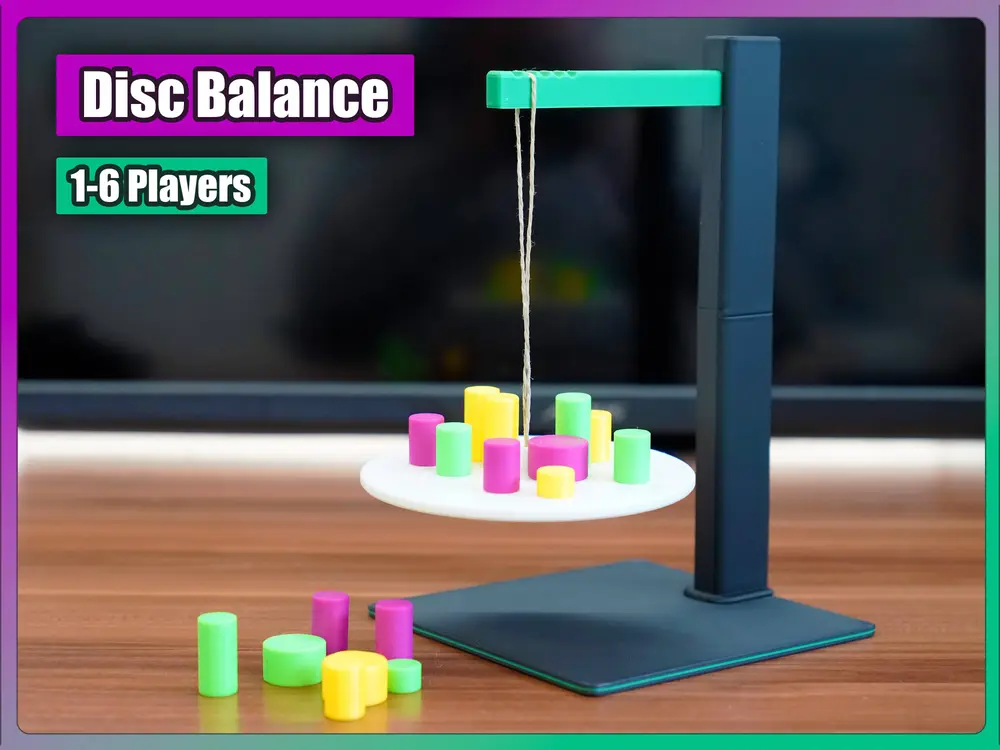
Disc Balance (1-6 Players; Game of Skill; Age 3+)


This fun and playful game enables you to understand the concepts of balance and weight. It helps children to think strategically and improves hand-eye coordination. The ideal game for a parent-child activity, little game with your co-workers or your friends. This game can be played with up to 6 players.
To avoid danger of suffocation, keep this game away from babies and small children.
Added Features
- Box with a sliding lid holds all parts secure.
- Base platform doubles as a lid for the included box (turn it upside down so that the game name is visible).
- Optional inlay for the box with slots for the biggest parts (pillar, beamm disc).
- Difficulty is adjustable.
Printing Instructions
While an AMS is nice to have, it is by no means essential for this build. The bare minimum requirements are that you have 6 distinguishable colors for the blocks and at least one basic color for the other parts. I added a single-color-per-piece print profile.
This balance game relies heavily on the precise proportions of its components, yet it also offers the flexibility to adjust them as necessary. It's noteworthy that this version includes optional parts that enable customization to suit your unique requirements. The standard printing profile encompasses all the vital components, along with a storage container featuring an inlay for secure organization of all pieces. This arrangement is the one I personally employ when producing copies of the game.
For optimal results, I advise printing all parts on the build surface that provides the strongest bed adhesion. In my experience, using a golden texture PEI sheet for all components resulted in flawless prints without any failures. Ensure that the base and disc are fully cooled down on the build plate before removal. Premature removal can lead to tolerance discrepancies and warping of parts.
Given the extensive variety of individual settings required for each part, I suggest starting with the main print profile as your baseline. From there, you can tailor the settings to meet your specific needs.
I utilize a combination of matte and standard PLA filaments from various brands including Sunlu, Jayo, Eryone, and Amazon Basics. Each part in the design has been crafted with specific tolerances to facilitate easy assembly and to accommodate the slight variations that can occur between different materials. This approach ensures a smooth building process regardless of the filament brand used.
Additional Materials Needed
- Thin cord (~35-40cm)
Assembly
Main Game:
- Assemble the two segments of the pillar by sliding them together. Depending on the material and print quality, initial assembly may require a bit of extra force.
- Position the base platform on a level surface, ensuring that the slot designated for the pillar is facing upwards.
- Attach the pillar to the base platform by sliding it into the slot from behind. Insert the beam into its corresponding hole in the pillar.
- For the first-time setup:
- Form a loop with the cord, approximately 35-40 cm in length, and tie the ends together to secure it.
- Thread the cord through the small cylindrical cord adapter, making sure that the knot rests on the adapter's wider part.
- If the cord is too thick for the adapter, opt for one of the alternative diameter adapters provided. The choice of adapter directly influences the stability of the platform – a tighter hole results in greater stability.
- Finally, thread the cord and the cord adapter through the balancing disc and suspend it from the beam.

Dice:
- Prior to inserting the colored inserts, make sure you clean up the bottom facing cutout. The bridges might interfere with the precise tolerances and could cause the insert to stick out just a little bit. I use a slotted screwdriver for this task. Just scrape them out which takes about 3-5 minutes.
- The dice inserts diameter matches the cutouts, so usually they pressfit into the cube. Your experience might vary depending on the material used and your printer calibration. Use some glue or increase the insert's diameter if you are not satisfied with the results. Personally I prefer to increase the diameter of the inserts by .2mm (I added a profile for replacement parts that contain multiple sizes).
How to Play
Variant A: Roll the dice and place a block of the corresponding color on the disc, ensuring that it doesn't tip over.
Variant B (No Dice): Each player is assigned a specific color (or multiple colors). Players take turns placing a block from their allocated stack onto the disc, being careful not to cause it to tip over.
