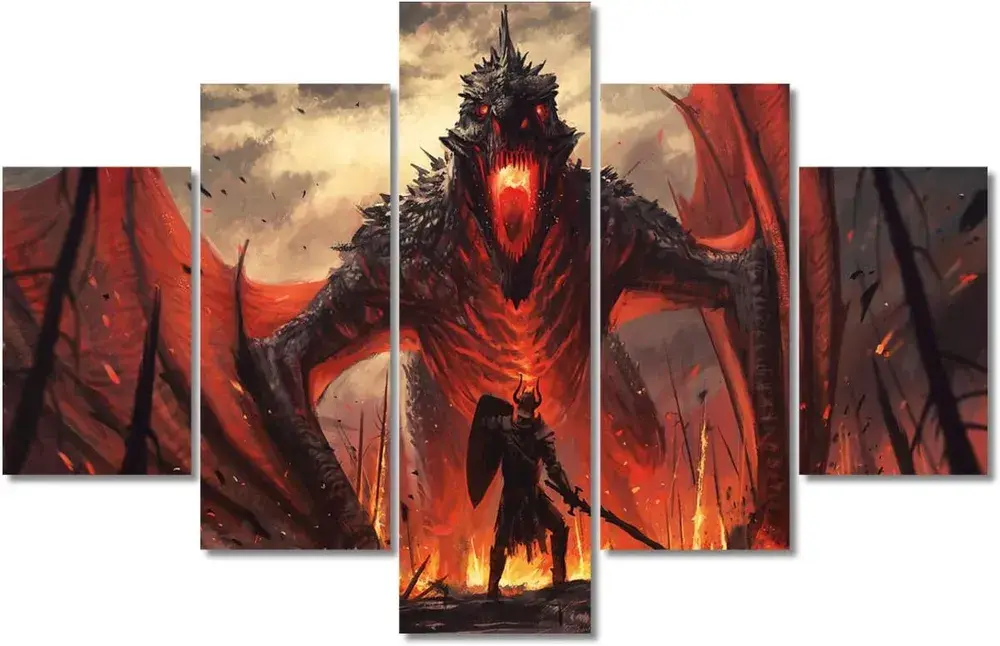
Dragon hueforge wallart


Hi, my hueforge model of dragon.
Used 5 colors of filaments : Black, Red, Yellow, Grey and white
Swap instruction starting with picture number 1 : 100x62
Start with Black
At layer #7 (0.64mm) swap to Red
At layer #10 (0.88mm) swap to yellow
At layer #13 (1.12mm) swap to White for the rest.
Picture number 2 : 150 x 62
Start with Black
At layer #5 (0.48mm) swap to Red
At layer #9 (0.8mm) swap to yellow
At layer #10 (0.88mm) swap to White
At layer #17 (1.44mm) swap to grey for the rest.
Picture number 3: 210x62
Start with Black
At layer #5 (0.48mm) swap to Red
At layer #9 (0.8mm) swap to yellow
At layer #11 (0.96mm) swap to White
At layer #17 (1.44mm) swap to Grey for the rest.
Picture number 4: 150 x 62
Start with Black
At layer #5 (0.48mm) swap to Red
At layer #9 (0.8mm) swap to yellow
At layer #10 (0.96mm) swap to White
At layer #17 (1.44mm) swap to Grey for the rest.
Picture number 5: 100x62
Start with Black
At layer #5 (0.48mm) swap to Red
At layer #9 (0.8mm) swap to yellow
At layer #10 (0.88mm) swap to White for the rest.
You are prohibited from sharing, sub-licensing, selling, renting, hosting, transferring, or distributing the digital file or 3D printed versions of this object, as well as any other derivative work in either digital or physical form (including remixes).You are not allowed to use the objects in any manner that involves charging money or collecting fees without permission.