
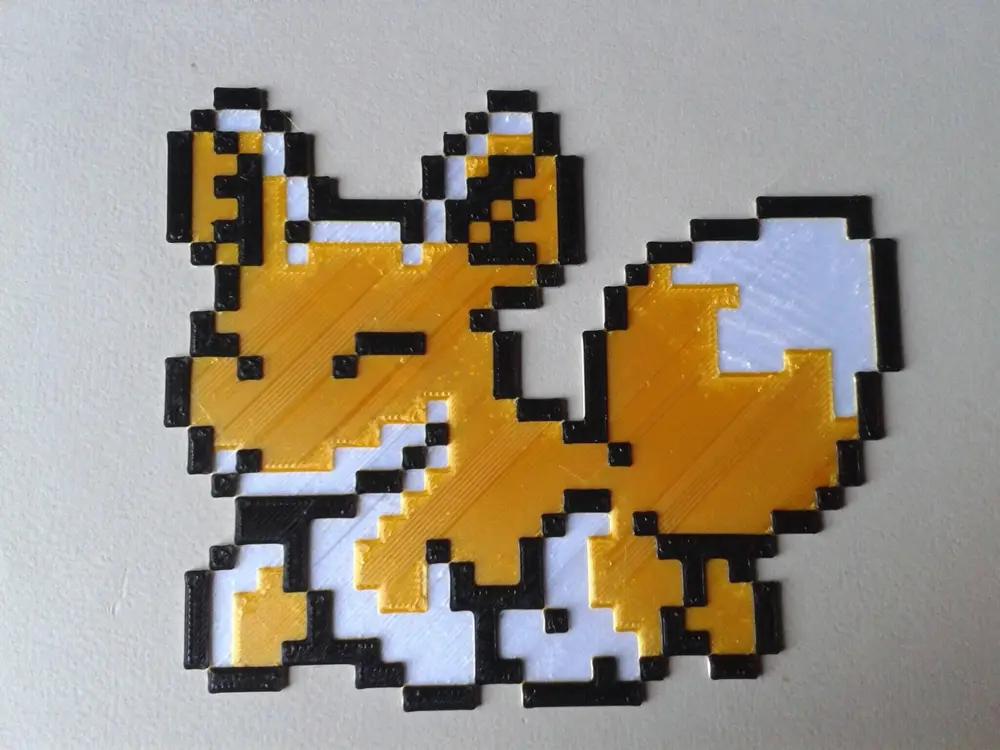
GBC - Animal Breeder 3 JPN - Fox 5, 2 filament changes


GBC - Animal Breeder 3 JPN - Fox 5, 2 filament changes
With 2 filament changes for a total of 3 different colors
This print must to be slice with "Initial Layer Height" and "Layer Height" = 0.20 mm (unless there is a change in scale)
Except change of scale and/or layer height before slicing.
You need to add 2 "filament change" (g-code "M600") or "pause" (g-code "M0", or "PAUSE") or ... depending on your printer/firmware to change filament.
A change of filament every two layers.
Start with : White filament until Z0.40
Switch to : Gold filament until Z0.80
Switch to : Black filament until Z1.20, the end of the print.
For this print I changed the fill pattern used for the top layers (normally set to "Monotonic Lines" by default)
Print Settings -> Infill -> Infill, Top fill pattern: Aligned Rectilinear
Filament used : Silk PLA+ White Anycubic, Silk PLA+ Light Gold Anycubic, PLA+ Noir ArianePlast.
Credits :
- "Pixel Art Image" extracted from image found on "https://www.spriters-resource.com/game_boy_gbc/animbreed3/sheet/15374/"
Happy printing.
