
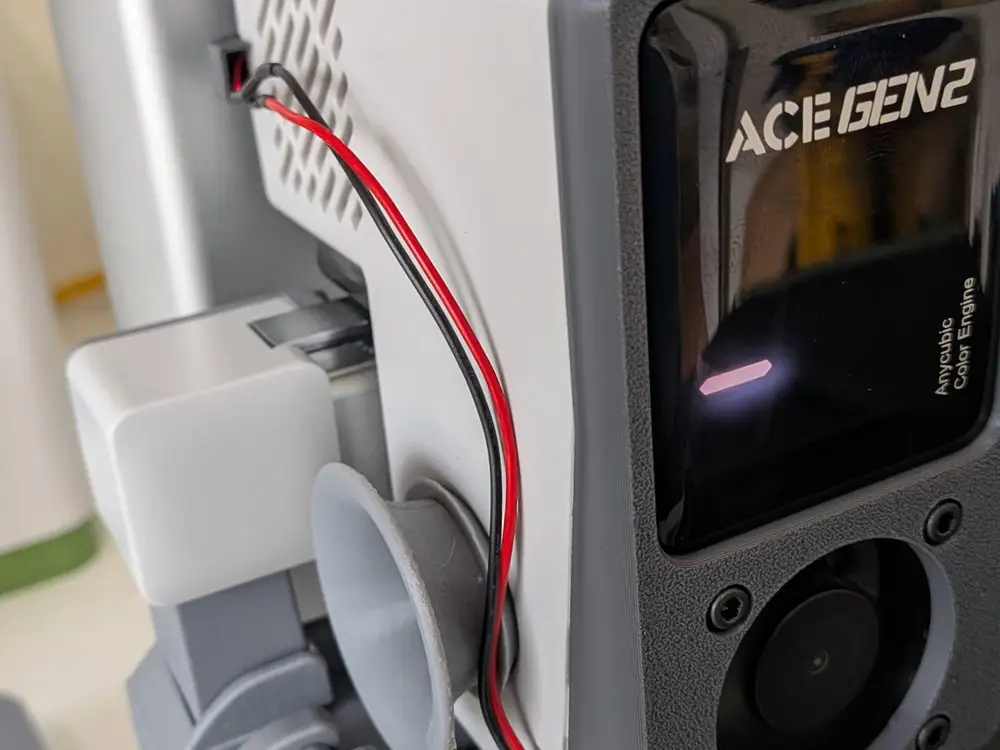
Kobra X 40mm Hotend Fan Upgrade


Warning: This model and the associated mod should be considered beta and only used if you're comfortable with the installation steps. It has not undergone extensive performance testing. Heat creep may be an issue (or it may not be an issue). I've run a handful of prints since installing and haven't noticed any issues.
This model is to allow for a fan swap for the hotend cooling fan. I found the pitch and volume of the stock fan to be very disruptive especially compared to my other printer running a 4010 hotend fan. So I set out to come up with a way to swap the fan and quiet things down. I incorporated the magnetic cover system seen in some other prints mostly because I haven't had great luck w/ 3d printed clips holding up great over time.
Installation
Use the Anycubic instructions for replacing the hotend fan to get a better look at the wiring. You won't need to remove the OEM fan (unless you want to), which reduces the amount of disassembly required.
This is pretty straightforward, but does require comfort soldering or similar. The printer board uses a JST 1.25mm connector for the hotend cooling fan. I didn't want to damage the OEM fan, so I bought a pack of JST 1.25mm pigtails on Aliexpress and spliced them onto the fan leads. You could use various connection methods, but ultimately need to be able to plug the fan into a JST 1.25mm port.
NOTE: The pigtails I got had the polarity reversed from the printer board / OEM fan. Keep an eye on that as running a DC fan with reversed polarity might not work, might work poorly, and might cause issues.
Once you have the connector and fan wired together, simply install the fan to the inside of the faceplate using 4 M3 14mm bolts. I used hex cap bolts. It's important the bolts are only as long as necessary to get thru the cover + fan and into a nut, otherwise they'll hit the printhead housing and the cover won't sit flush.
Wiring Options
There are 2 options for wiring; internally or externally.
Internal Wiring - route the fan wire along the same route the OEM fan wire takes to get it out the back.
External Wiring - route the fan wire along the outside of the printhead housing to the back. Note: external wiring requires the modified printhead back panel in addition to the front cover. Take special care to ensure the wire is routed in a way that it won't get caught on anything!
Last step is to disconnect the OEM fan and plug in the new one. Be careful as the wires are very thin! Press the cover into place you're ready to print!
Hardware
All of these can easily be found on Ali, Amazon, etc. I included Amazon Affiliate links if you're looking for quick and easy options.
4x M3 14mm screws + 4x M3 nuts -- https://amzn.to/3RfV9xS (assorted kit with a few sizes, washers, and nuts)
JST 1.25mm female connector (assuming you're not sacrificing the OEM fan) -- https://amzn.to/4eVz0Pc
4010 (40mm x 40mm x 10mm) 24v DC fan -- Winsinn 5 pack / Noctua Option
6x 3mm x 2mm magnets -- https://amzn.to/3QZE3El
You are prohibited from sharing, sub-licensing, selling, renting, hosting, transferring, or distributing the digital file or 3D printed versions of this object, as well as any other derivative work in either digital or physical form (including remixes).You are not allowed to use the objects in any manner that involves charging money or collecting fees without permission.

