
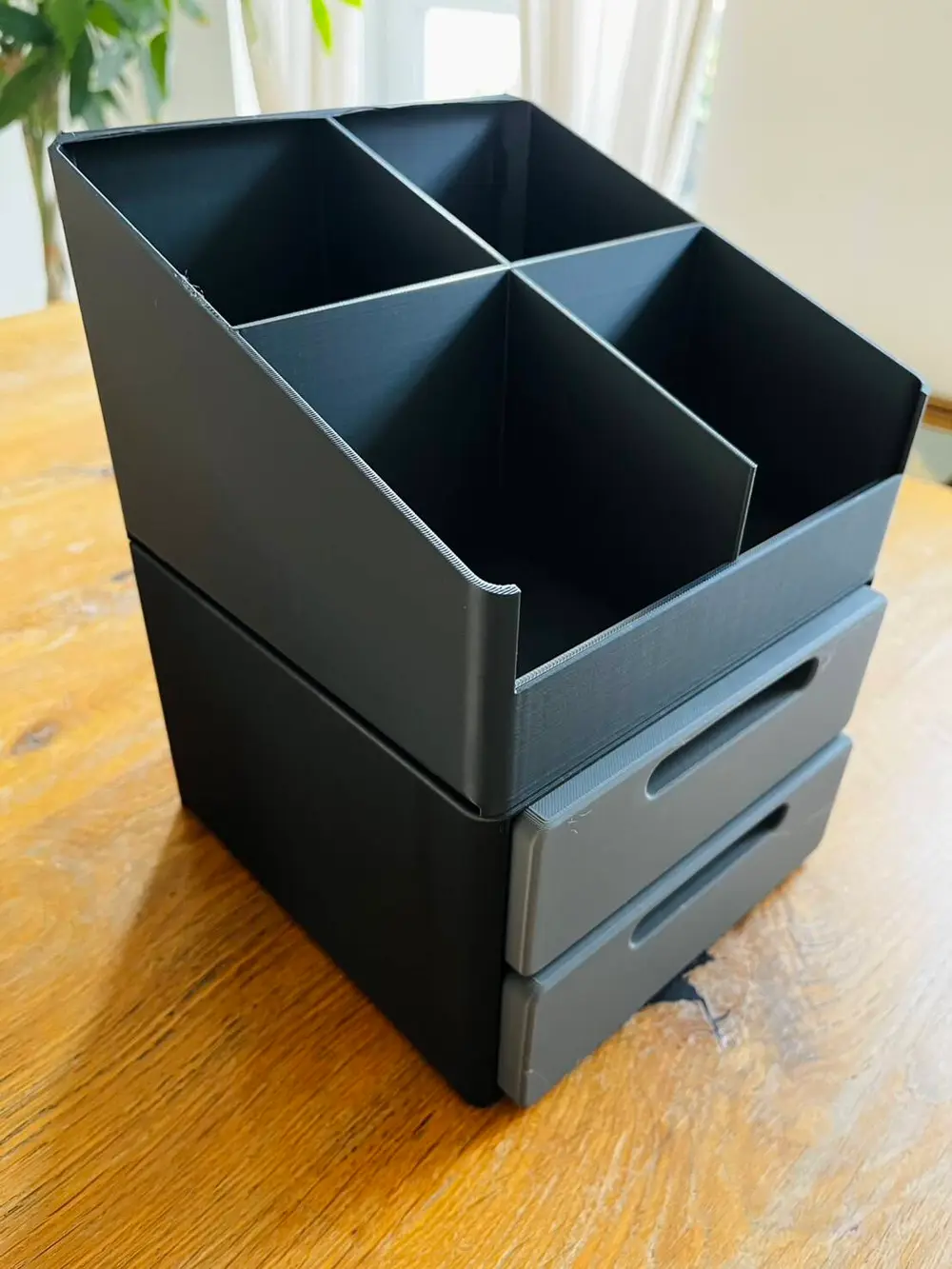
ModuSlide – 2-Drawer Module


ModuSlide – Modular Stackable Drawer System with Top Storage Bins
Build your own storage system, one module at a time!
ModuSlide is a modular, 3D-printable storage system designed to keep your workspace organized while giving you the freedom to expand and customize your setup.
Whether you need storage for 3D printing accessories, tools, screws, electronic components, or other small parts, ModuSlide lets you create a storage solution that fits your needs.
Features
- Modular design: Combine different drawer modules to create your own storage system.
- Stackable modules: Drawer modules of the same width can be stacked in different combinations.
- Multiple drawer options: Choose between modules with 1, 2, or 3 drawers.
- Top storage bins: Available with 2 or 3 compartments for easy access to frequently used items.
- Side-by-side connections: Compatible modules can be connected using the ModuSlide side connectors.
- Removable drawers: Easily access and organize your stored items.
- Clean, modern appearance: Rounded edges and recessed drawer handles.
- Expandable system: Start small and add more modules whenever you need extra storage.
Included Modules
Drawer Modules
- 1-Drawer Module
- 2-Drawer Module
- 3-Drawer Module
Top Storage Modules
- Top Bin with 2 Compartments
- Top Bin with 3 Compartments
Connection System
- Compatible side connectors for joining modules.
How the Modular System Works
ModuSlide is designed to grow with your storage needs.
Stack drawer modules of the same width in any order to create your preferred combination.
Place a top storage bin at the top of your stack for convenient open storage.
Important: Top bins are designed as finishing modules and are not intended to support additional modules above them.
Compatible modules can also be connected side by side using the connector system.
Printing and Assembly
- Choose the drawer modules and top bins you want to print.
- Print the required components using the provided 3MF files.
- Assemble the drawer modules and insert the drawers.
- Stack compatible modules together.
- Add a top storage bin to complete your setup.
- Use the side connectors to join adjacent modules where applicable.
Print only the components you need and expand your system over time.
Designed for Real-World Use
ModuSlide was developed for my own 3D printing workspace, with a focus on practical storage, modularity, and a clean appearance.
The uploaded drawer modules and top bins have been physically printed as part of the development process.
Share Your Makes!
I would love to see how you use ModuSlide in your workshop, office, or 3D printing setup.
If you print this model, please share your photos, feedback, and suggestions.
More ModuSlide modules are planned for the future!
Happy printing!
You are prohibited from sharing, sub-licensing, selling, renting, hosting, transferring, or distributing the digital file or 3D printed versions of this object, as well as any other derivative work in either digital or physical form (including remixes).You are not allowed to use the objects in any manner that involves charging money or collecting fees without permission.
