2024-12-11 12:01:56
5.7k
253
Right Side Gantry Filament Guide - ACE Combo

@highwiredfreek_3269558
Donate
Message
Follow
Recommended printing method
Add
4 tube and 8 tube guide
Kobra 3
Kobra S1 Max
、
Kobra 2
、
Kobra S1
、
Kobra 4
、
Kobra X
、
Kobra 3 V2
、
Kobra 3 Max
、
Kobra 2 Max
、
Kobra 2 Pro
、
Kobra 2 Neo
、
Kobra 2 Plus
/ Plates:1
/ 1h 20m 36s
67
Share


Description
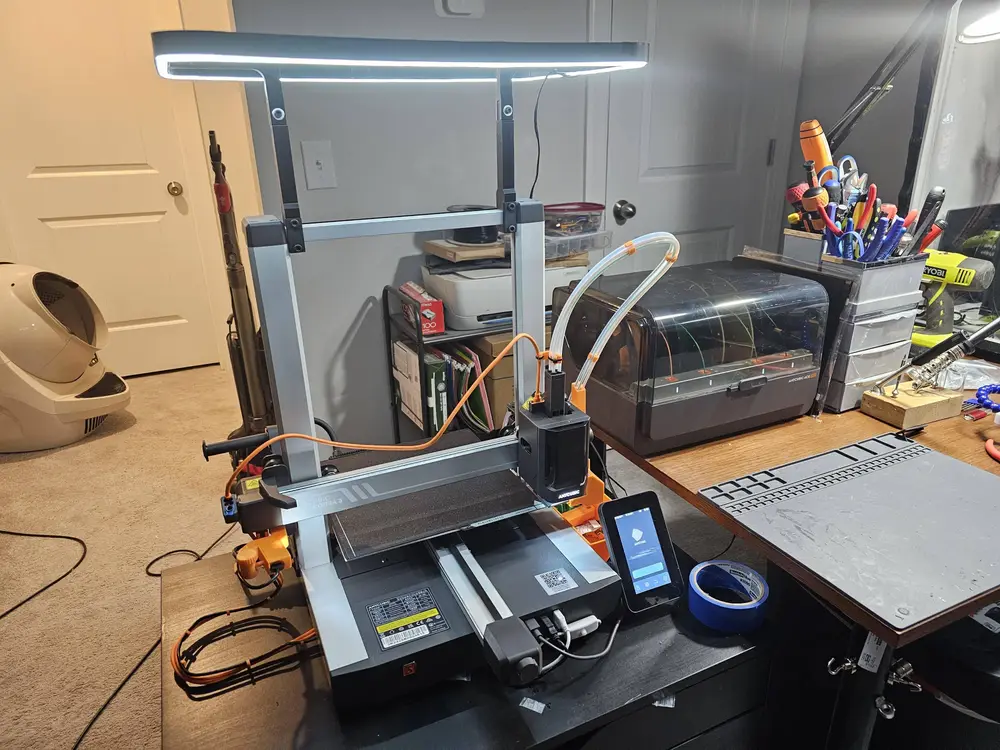
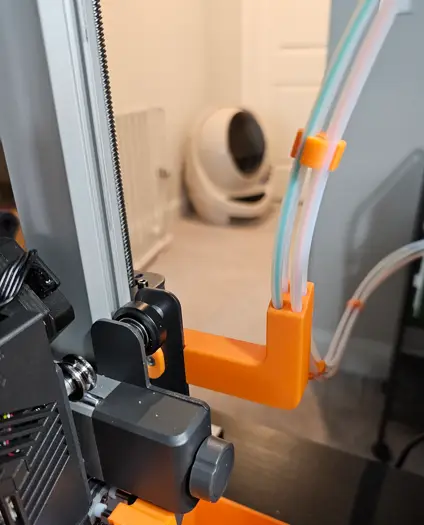
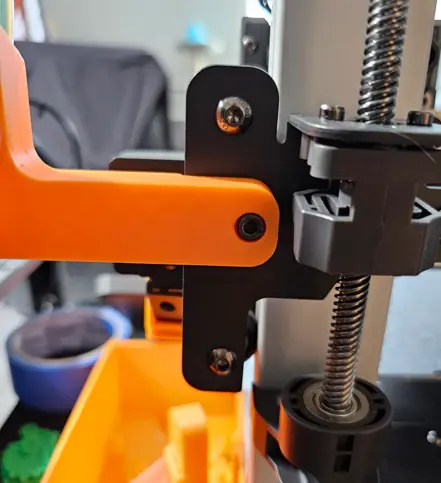
I recently got the Kobra 3 Ace Combo and my space required placing the ACE to the right of the K3. The left side mount worked if the ACE was placed perpendicular to the K3. This filament guide keeps the tubes out of the way of the right hand accessories (poop bin) and travels with the gantry in the z-axis. The guide is at 20° from the vertical and points the tubes forward.
Additional Hardware Required:
M4 X 16 Socket Head Cap Screw x1
M4 Nut x1
Mounting
- Insert M4 nut into clamp.
- Insert clamp into oblong hole from the front of the bracket.
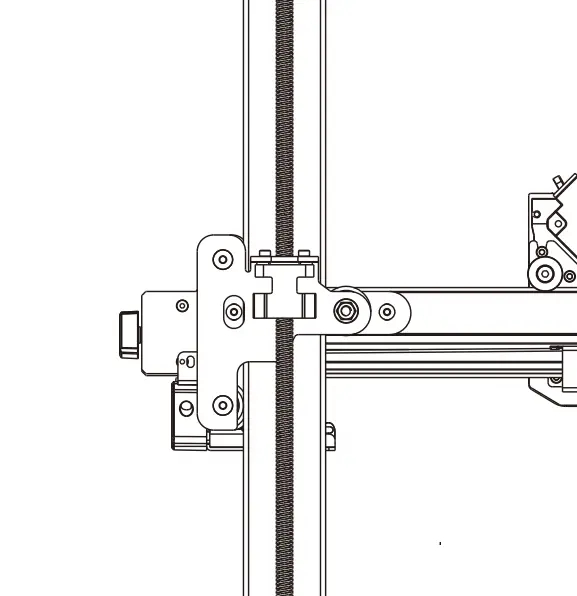
- The clamp has a short side and long side. Short side should install next to vertical support.
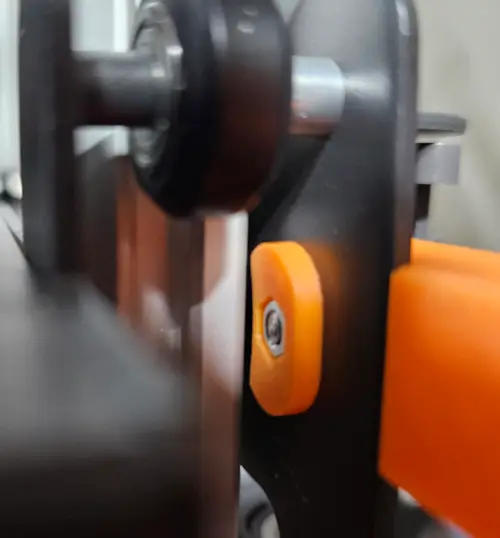
- Install filament guide from rear of bracket. And secure with M4 Screw. The offset on the guide should align with side of bracket. Clamp length is shorter than bracket thickness. Both parts should secure tightly around bracket.
- Feed Tubes through 4 holes leaving about 50CM from top of the guide to end of the tubes. This should allow enough for the printhead to move freely without kinking the tubes or introducing too small of a radius.
Notes:
- The tube and cable guide require drilling a hole for zip ties to keep the cable in place.
- Replace the original 5 tube guide with 4 tube variant ( I used this.)
- Tube guide holes are ~4.5mm so they shouldn't need to be widened.
- Print with supports.
Additional files:
8 Tube Guide
4 Tube + Cable Guide
Tags
License