
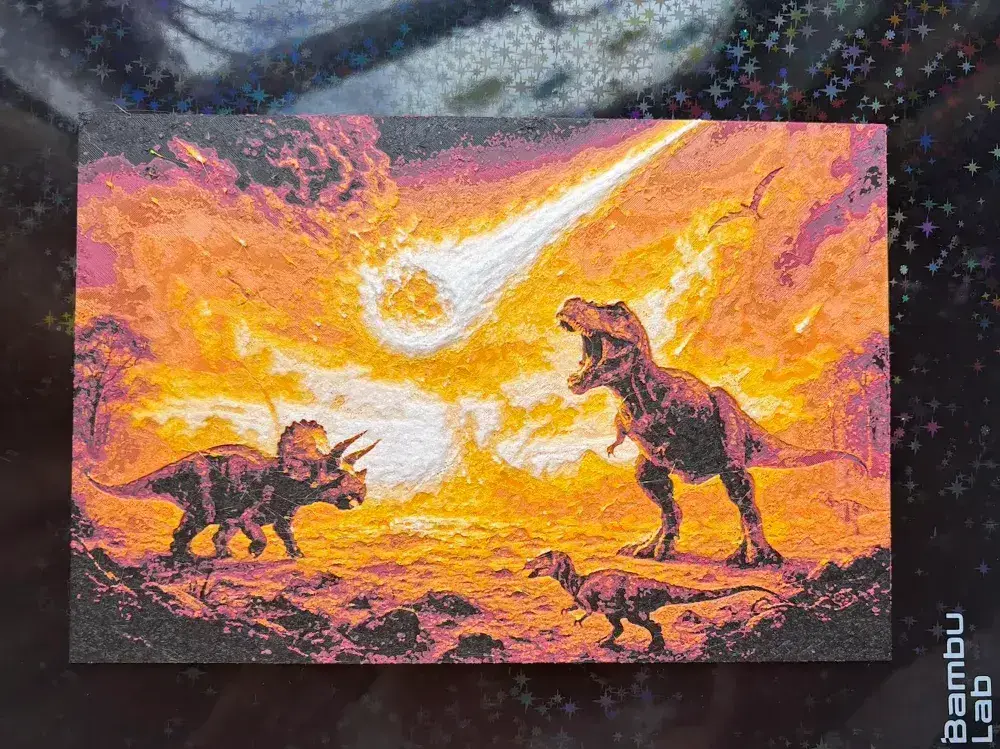
The End of the Dinosaurs Hueforge

 1
1


Here is my 6th entry for the Dinos competition a hueforge depicting the end of the dinosaurs.
This print requires 6 colours grey, black, red, orange, yellow, and white .
If your not lucky enough to have two AMS systems this will require a manual change. To do this load your AMS with the first 4 colours to print grey, black, red and orange then tell the printer on the new software that it needs to take yellow from the slot on the grey and White from the black slot when preparing the print. This is change since the new update. Once you have told the printer the colours that will be replaced during the print you are good to press print.
After grey has finished manually unload it as if the printer wasn't running the light will go out and push the yellow in it will not grab and feed but the light for the slot will come back on this is now locked and loaded ready. As an extra precaution check on the print screen that 4 filaments are showing. The printer will still think it is using the original colour as its not been written into the software to be able to change this yet. Complete this step for the final colour swap.
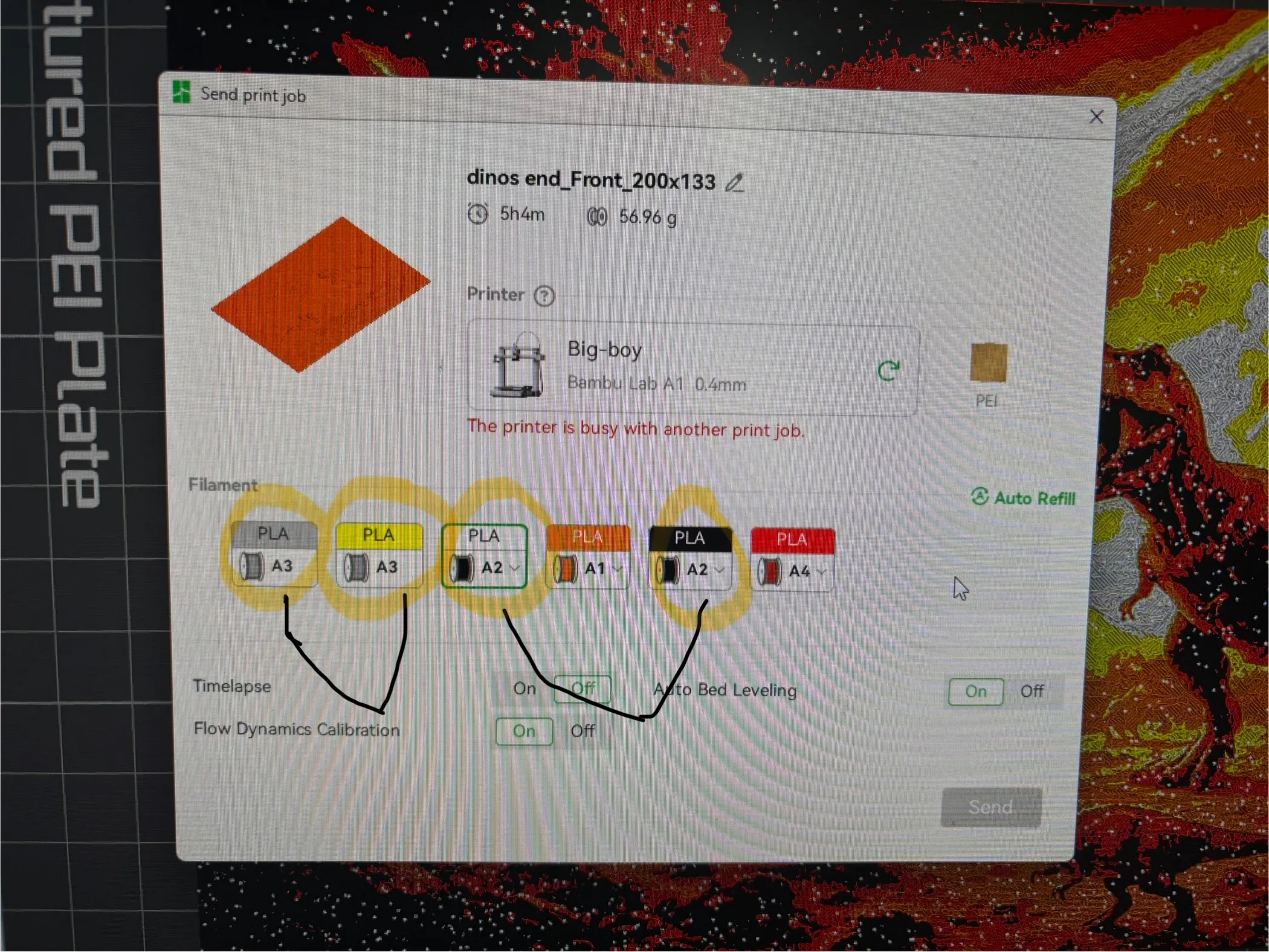
I have already set the colour changes for the AMS for you in this print profile however if you wish to print manually you still can by removing the colour pre-sets and adding a manual pause at the following layers.
Swap Instructions:
Start with Grey
At layer #6 (0.56mm) swap to Black
At layer #15 (1.28mm) swap to Red
At layer #17 (1.44mm) swap to Orange
At layer #22 (1.84mm) swap to Yellow
At layer #25 (2.08mm) swap to White for the rest.
You can resize the picture to any size you would like however just untick uniform scale and remember to keep the Z at 100%.
I hope you enjoy and happy printing :)
