
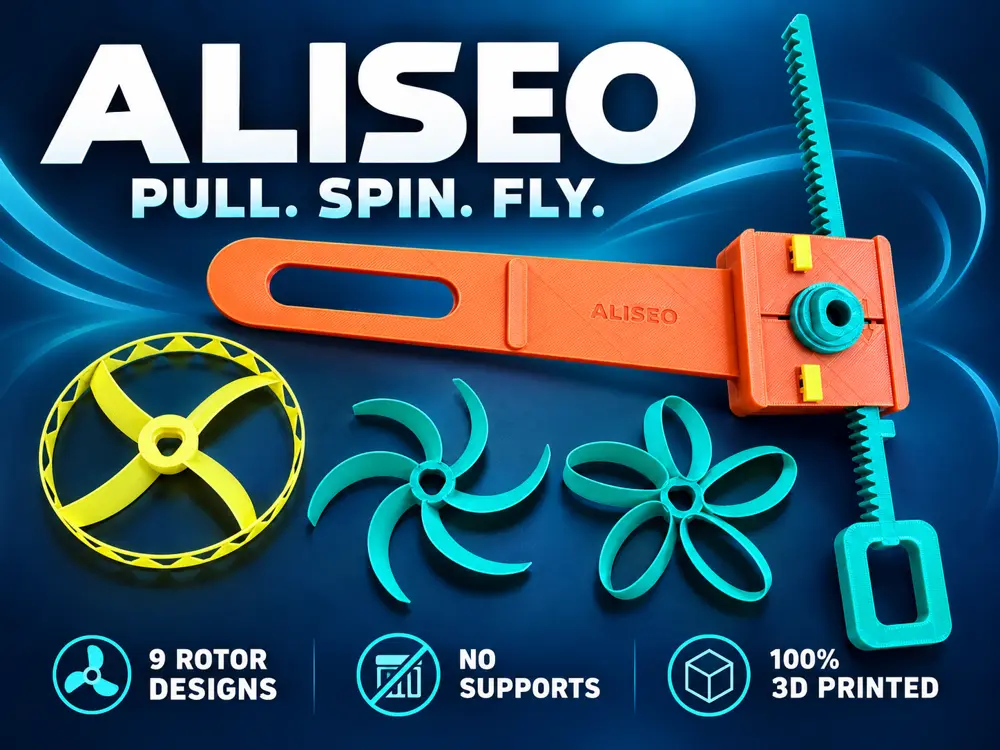
ALISE Pull Spin Fly


ALISEO — Pull, Spin & Fly
Build your own rotor launcher, choose a shape and give it a spin! ALISEO is a fully 3D printed project with interchangeable rotors, so you can try different designs using the same launcher.
Everything you need to assemble it comes from your printer: no screws, glue or extra hardware required.
- 9 rotor designs to explore, including 4, 5 and 6 blade shapes, curved blades and closed loops.
- Two weight options for every design: Ultra Light and Light.
- No supports required in the supplied print orientation.
- Simple assembly with printed interlocking parts.
- Swap rotors in seconds and find your favourite.
- Small printer friendly: every rotor fits a 180 × 180 mm plate, and a compact launcher option is available too.
Choose your rotors
- Ultra Light: the lightest option, with thin blades and edges. A good starting point for your first flight experiments; handle these rotors gently.
- Light: the same collection of shapes with thicker blades and edges, for a little more substance when handling them.
You can download individual STL files or use the two 3MF collections. Each collection contains 9 separate plates, with one rotor per plate, making it easy to choose what to print next.
How to assembly?
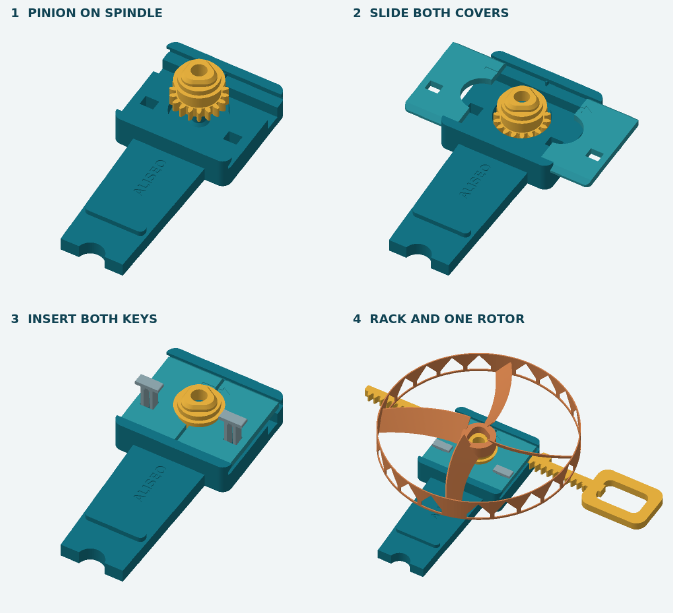
Ready to launch?
- Assemble the launcher using the included English guide.
- Slide the pull strip into the launcher and place your chosen rotor on top.
- Hold the launcher level, with the rotor parallel to the ground.
- Pull the strip out with a quick horizontal movement. A small upward movement of the launcher can help the rotor take off.
Flight depends on the rotor, the print and your launch technique. Try a few shapes and small changes to your movement to see what works best for you.
Print a rotor, try it out and share your favourite! Photos, makes and feedback are welcome—especially which shape you enjoyed most.
您不得分享、转授权、出售、出租、托管、转让或分发该数字文件或该对象的3D打印版本,以及以数字或物理形式存在的任何其他衍生作品(包括混音)。未经许可,您不得以任何方式使用这些物品进行费用收取。
