
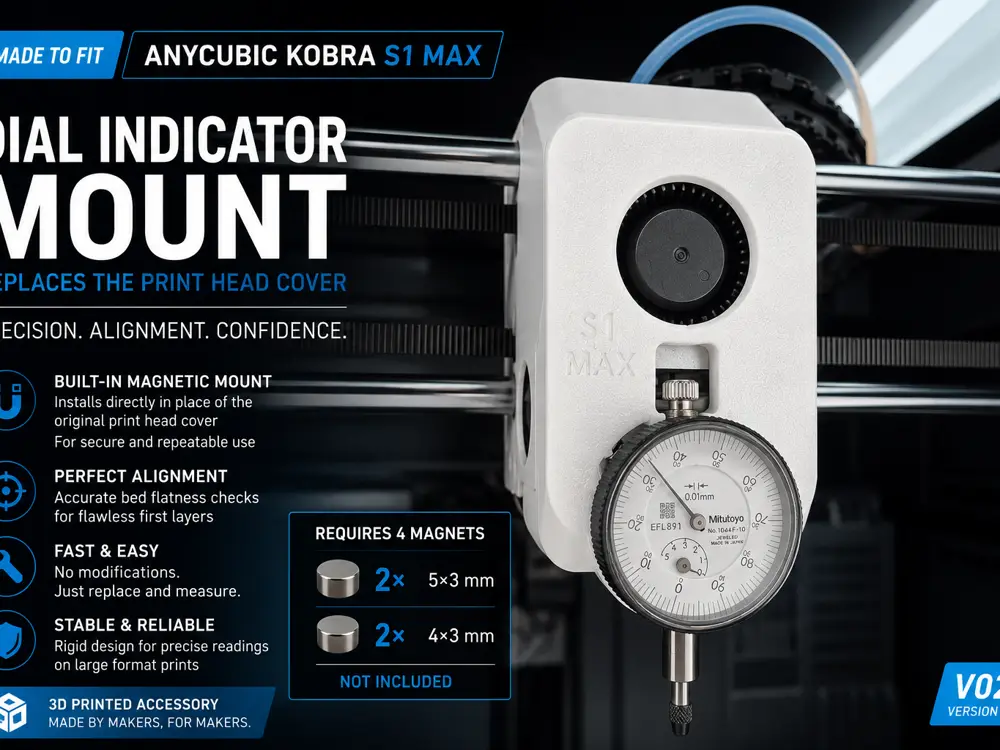
Dial Indicator Mount V02 for Anycubic Kobra S1 Max


Turn your Kobra S1 Max into a true precision calibration machine.
This V02 version completely replaces the original print head cover and integrates a clean magnetic mounting system for a standard dial indicator.
Designed specifically for the Anycubic Kobra S1 Max, this upgrade allows accurate hotbed flatness inspection, first layer optimization, and professional-level bed tramming.
Built for makers who want repeatable precision instead of guessing.
What Makes V02 Different
Unlike the previous version, V02 is a full replacement print head cover.
This creates:
- cleaner integration
- improved rigidity
- more accurate measurements
- faster installation
- better long-term stability
Just replace the original cover and start measuring.
Magnetic Mounting System
This model requires:
- 2x magnets 5x3 mm
- 2x magnets 4x3 mm
Magnets are NOT included.
The magnetic system allows:
- fast attachment
- repeatable positioning
- secure mounting
- tool-free installation
Dial Gauge specs
Dial gauge case diameter = D 38 mm
Dial gauge rod: D 8 mm
Why You Need This
Automatic bed leveling is useful.
Mechanical verification is better.
Large format printers can develop:
- uneven bed surfaces
- gantry inconsistencies
- first layer variation
- edge lifting
- dimensional inaccuracies
This tool helps you identify the REAL mechanical state of the printer with precision.
Because firmware compensation can hide problems.
A dial indicator exposes them.
Features
- Designed specifically for Anycubic Kobra S1 Max
- Replaces the original print head cover
- Built-in magnetic mounting system
- Compact integrated design
- Lightweight and rigid structure
- Stable dial indicator positioning
- Fast installation
- Optimized for precise bed flatness inspection
- Excellent for first layer tuning
- No supports required
Perfect For
- Bed tramming
- Bed flatness verification
- Precision calibration
- First layer optimization
- Engineering prints
- Large format printing
- Mechanical diagnostics
- Advanced printer tuning
Printing Recommendations
Material:
- PLA+
- PETG
- ABS
- ASA
Recommended:
PETG or ASA for maximum durability inside enclosed printers.
Layer Height:
- 0.20 mm
Infill:
- 35% to 45%
Supports:
- Require
Installation
- Print the model
- Insert the magnets
- Install the dial indicator
- Replace the original print head cover
- Move across the bed and inspect flatness with precision
Simple. Clean. Effective.
Useful Flatness Calibration Guide
Link:
Enjoying the model?
If this design improved your printer setup and you would like to support future projects, you can buy me a coffee on Ko-fi.
Your support helps me continue creating and sharing high-quality functional upgrades for the community.
Support me here:
https://ko-fi.com/adrian_m2025
Thanks a lot — and happy printing!
If You Like This Model
- Download
- Like
- Follow
- Add to Collections
- Share your prints
- Post your calibration results
Every interaction helps this model grow faster inside the Exclusive Model Program.
Made by makers, for makers.
您不得分享、转授权、出售、出租、托管、转让或分发该数字文件或该对象的3D打印版本,以及以数字或物理形式存在的任何其他衍生作品(包括混音)。未经许可,您不得以任何方式使用这些物品进行费用收取。
