
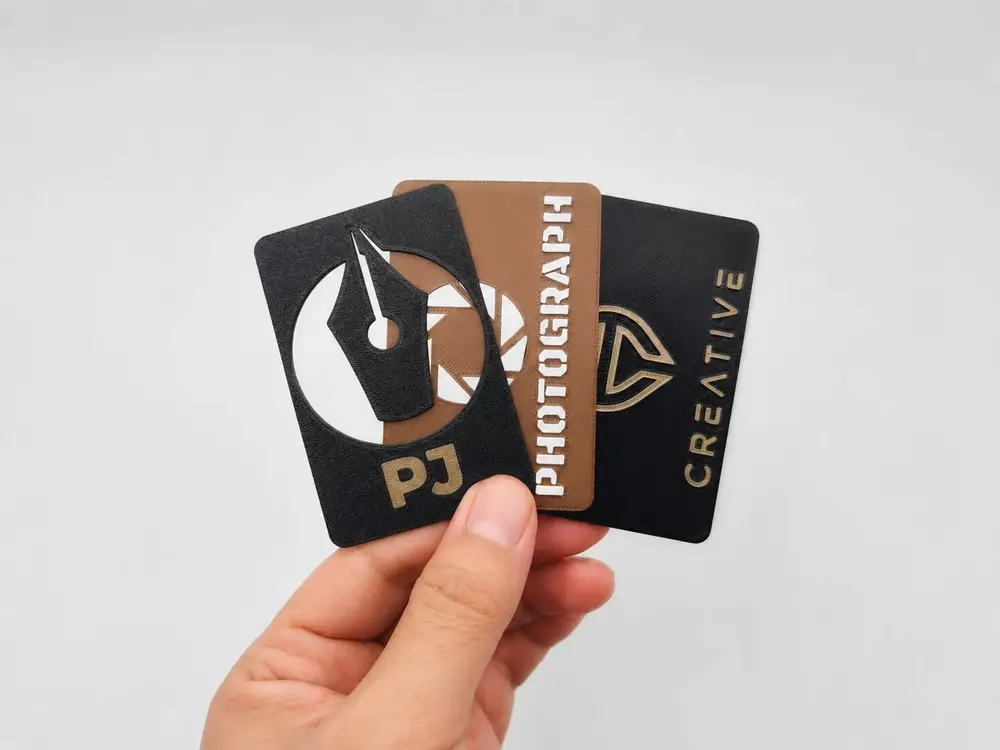
MyCard3D - Your Business Card 100% Customizable


The models on this page are just a few examples of what you can make with MyCard3D. Design your own — it takes minutes.
A free online designer. No CAD, no account, nothing leaves your browser.
MyCard3D is a web design tool for 3D-printable business cards. You open a page, you drag things into place, you download the file. That is the whole workflow. You do not need to know how to model, you do not need to install anything, and you do not need to sign up: there is no account, it is completely free, and every byte stays on your device. Your name, your contacts, your logo and your projects are never uploaded, because the whole thing runs in your browser.
Make it yours
- Two formats: landscape 85 × 55 mm or portrait 55 × 85 mm, square or rounded corners with the radius you choose.
- Thickness from 0.6 to 2 mm.
- Pick a font and write whatever you like, sized in millimetres and placed exactly where you want it.
- Your logo, dropped in as SVG or transparent PNG.
- Thirteen shapes to choose from — lines, frames, rings, stars, arrows and more — and everything you add, shapes included, you can drag, rotate and resize freely on the card, keeping the proportions or stretching them as you like.
- QR codes with any content you want: your website, a vCard, a Wi-Fi network.
- Three treatments for every element: raised above the surface, engraved into the body, or cut right through the card.
- Up to 8 colours on a single card, ready in the 3MF with the extruders already assigned.
- Ready-made layouts for both formats, to start from and make your own.
Add a technological heart: an NFC tag
Fit a Ø25 × 0.8 mm NFC tag inside the card: drag the marker wherever you like and the app creates the pocket within the body, then tells you which layer to pause the print on so you can drop the tag in. Someone taps their phone on your card and lands on your site.
It checks the print before you waste filament
Strokes too thin for your nozzle, text too small, cut-outs that would drop a piece on the plate: the app reports every problem it finds and blocks the export until the design meets the minimum requirements for a safe, good-looking print. It can also fix parts that might come away from the model, aligns depths to your layer height and orients the model on the build plate so you get smooth, well-printed surfaces, without supports where they are not needed.
Save and export
3MF split by colour with extruders assigned · STL, as a single solid or one per colour · PNG of your preview · project file you can reopen and keep editing.
Print settings for the models on this page
0.4 mm nozzle, 0.2 mm layers, no supports. Before you start, check that the extruders match the filaments you have loaded.
Tested with Anycubic Slicer Next and printed on Anycubic printers.
