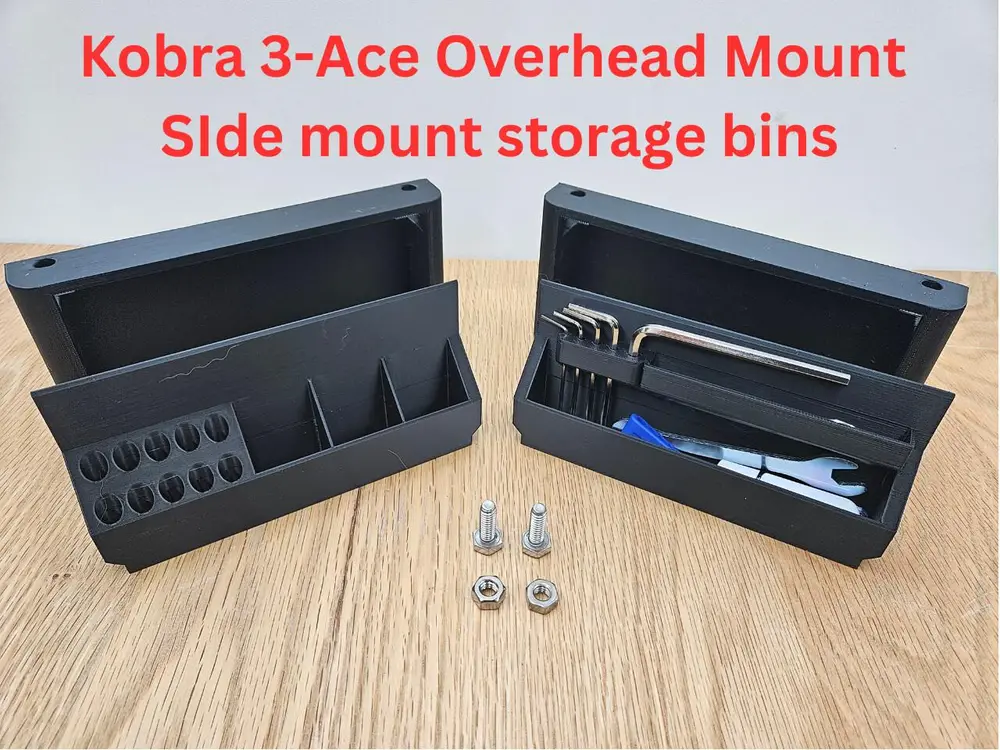
ACE OVERHEAD MOUNT - SIDE TRAYS


This model is for side trays and bins that mount on each side of the Ace overhead mount. The trays are attached using a 1/4-20 or M6 hex bolt 3/4" to 1 inch long with a nut.
The trays comprise a fixed component that is bolted to the top shelf of the Ace overhead mount and a removeable tray. There are two types of removeable tray and they are interchangeable.
The trays are removeable and can be used to store nozzles, hot ends, Hex keys as well as other tools for your Kobra-3 and Ace.
These will work with Version 1 and Version 2 of the Ace overhead mount. Version 2 has holes for this. If you have Version 1 of the Ace overhead mount you can simply drill the required holes to mount the trays. A template is provided to align and drill the holes.
Customizing
I am also providing the STEP files for the trays and bins if you want to customize them to your liking. You are free to modify and remix these to suit your needs. You can even upload your remixes in the Makeronline Kobra-3 challenge.
Printing
These print without the need for support. A print profile is provided.
PLA is fine. 15% infill - 0.2mm.
About me
I enjoy creating 3d models that others can use and appreciate. It is a very fun pastime. I find it very rewarding to see my models downloaded and printed. I put lots of thought, time and effort to create each model print out multiple iterations to make sure it works just right.
If you liked my model and wish to encourage me please give it a like. If you wish you can also help me with my filament costs. You can also use the discount codes listed below. You will save and I get a small commission for certain purchases. Thank you.
DISCOUNT AND AFFILIATE CODES FOR PRINTER AND FILAMENT
I am continuously trying to get discount codes from various manufacturers. Unlike many affiliate links these give discounts on purchases and are more difficult to obtain. In my requests I ask that they give me the codes with the most discounts for users even if it means a smaller commission.
DISCOUNT CODE LINK: Click here to see the discount codes
HOW TO USE THE CODES
1. You need to CLICK ON THE LINKS. The links are usually set up by countries/regions.
2. Add the items you want to purchase
3. Enter the DISCOUNT CODE at checkout. The codes vary by month and saving – so check back each month for the latest offers.
4. You can only use ONE CODE so be certain to enter the one with the most discount