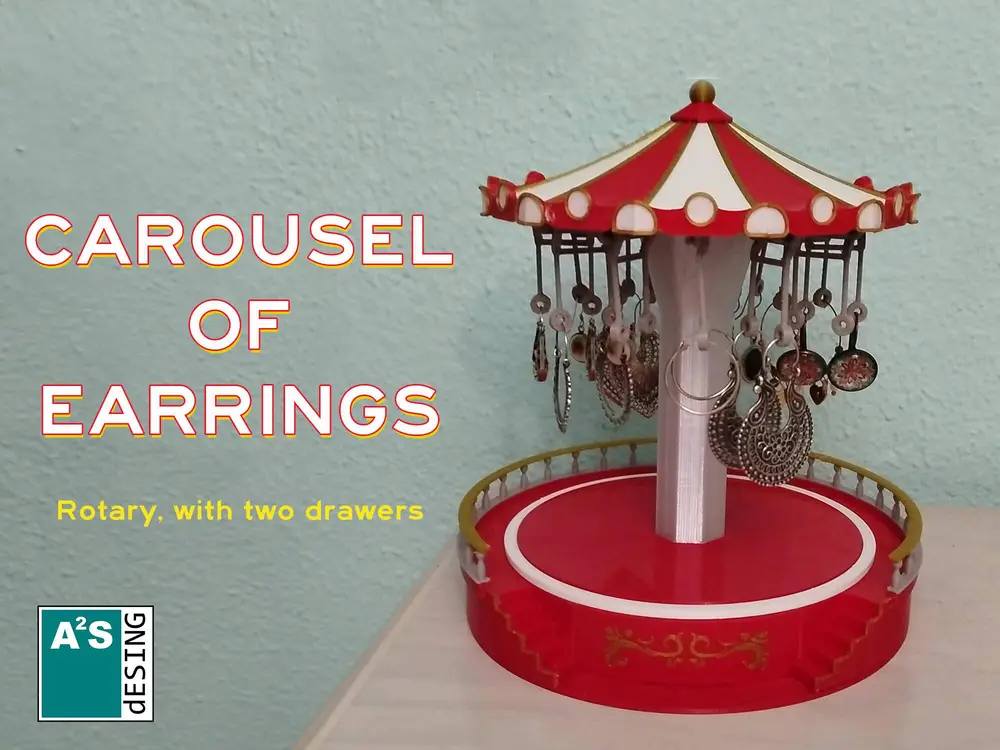
Carousel of earrings


Original and beautiful carousel to store earrings and other jewelry.
Its design allows you to store up to twelve pairs of earrings, hanging on the rotating carousel, so it is very easy and fun to look for your jewelry.
It has two side drawers to store bracelets and pendants.
This is a spectacular gift that your partner will appreciate every day.
To facilitate the rotation of the carousel, a 608ZZ type bearing must be incorporated into the base
Assembly instructions
To assemble this fabulous merry-go-round, you need to print the following parts:
hook:..........…………........12 units
hanger:.......…………........12 units
awning......….……............12 units
cornice.....…….…….........12 units
awningDome…………......1 unit
base...........…………….......1 unit
centralColumn....…….....1 unit
centralColumnBase......1 unit
leftDrawer......………........1 unit
rightDrawer.....………......1 unit
leftStaircase..…………......1 unit
rightStaircase………........1 unit
topBase............…………...1 unit
You will also need cyanoacrylate glue and a 608ZZ bearing, It is a very popular bearing, as it is the one used in skateboards.
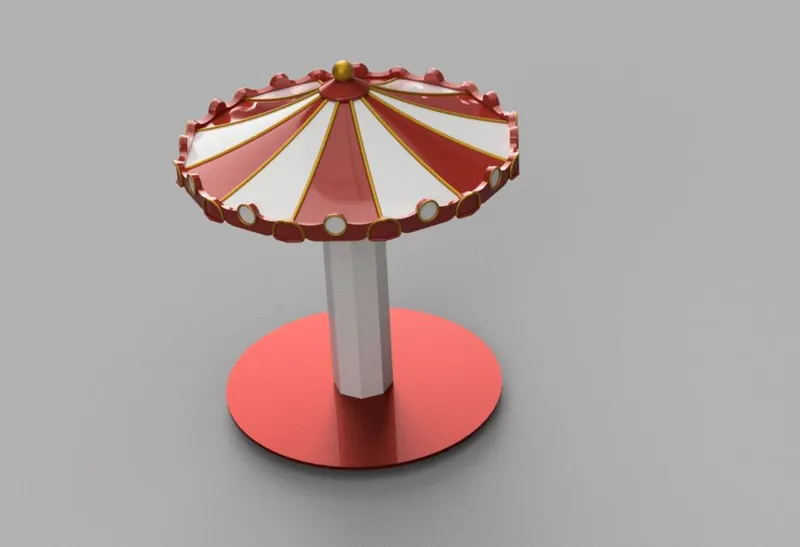
We will start by gluing the awning pieces (awning.stl). We will glue them in two groups of six, and then, when they are dry, we will join the two sets.
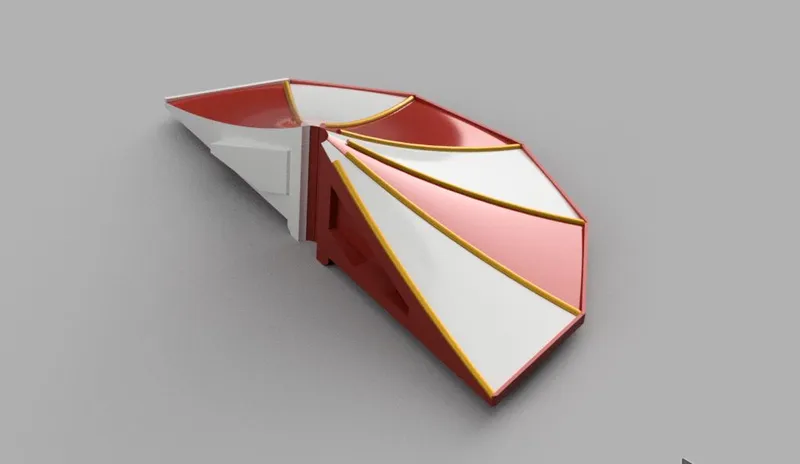
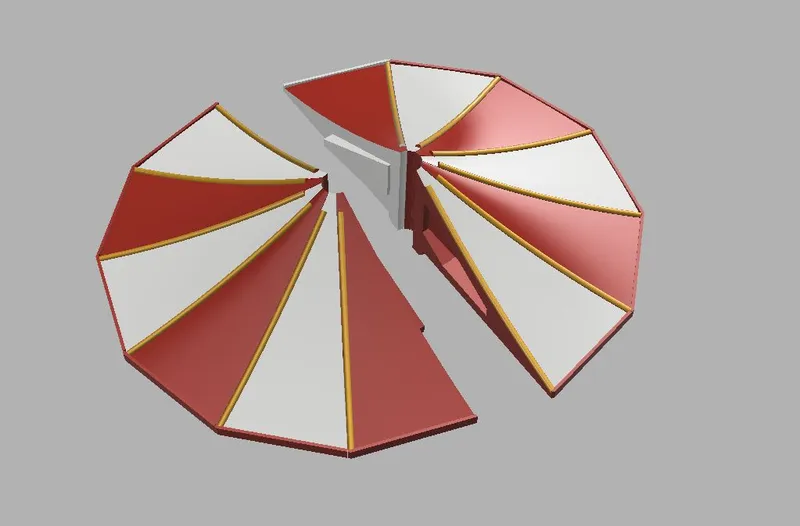
When the twelve pieces are joined, we will glue the awning dome (awningDome.stl)
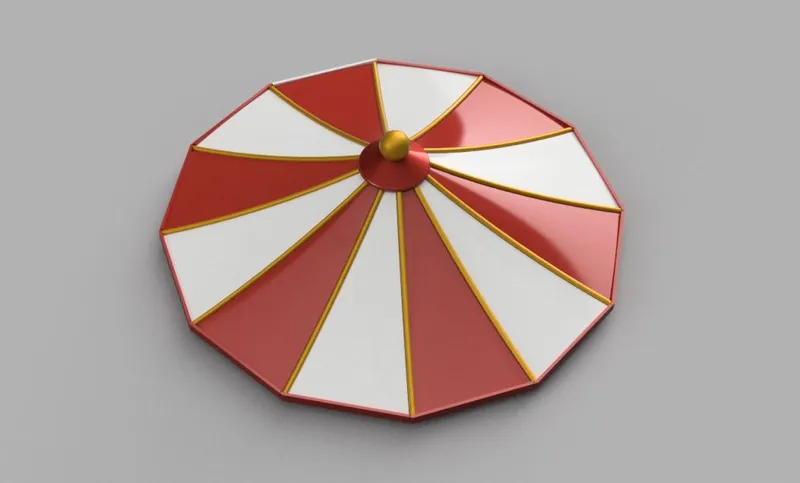
Next, we glue the cornices (cornice.stl) and the hooks (hook.stl) to the group formed previously.
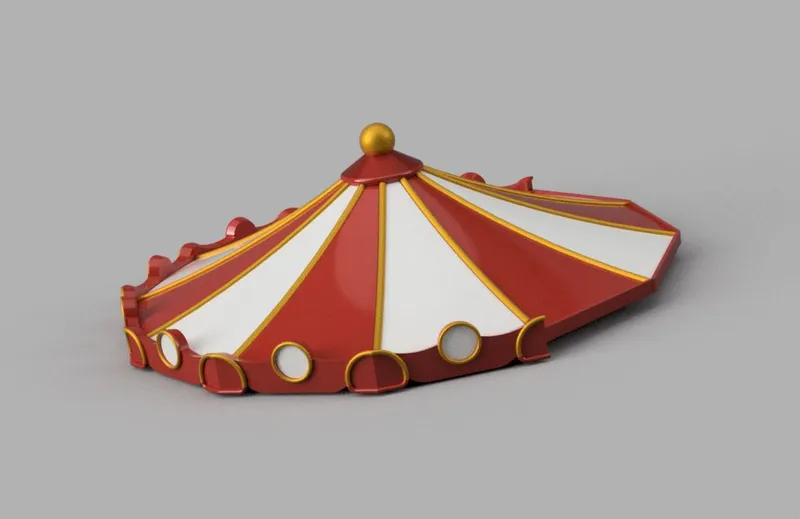
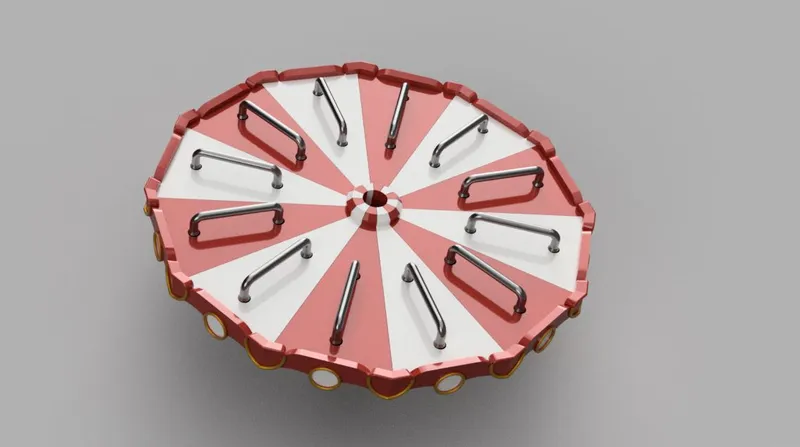 We already have the awning part assembled; now it is time to continue with the central column, which has a bearing in its base and is glued at the top to the awning that we assembled before.
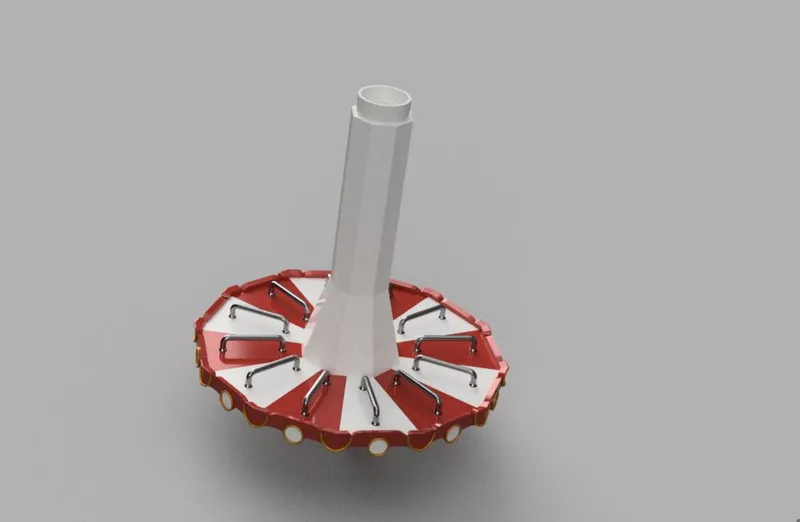
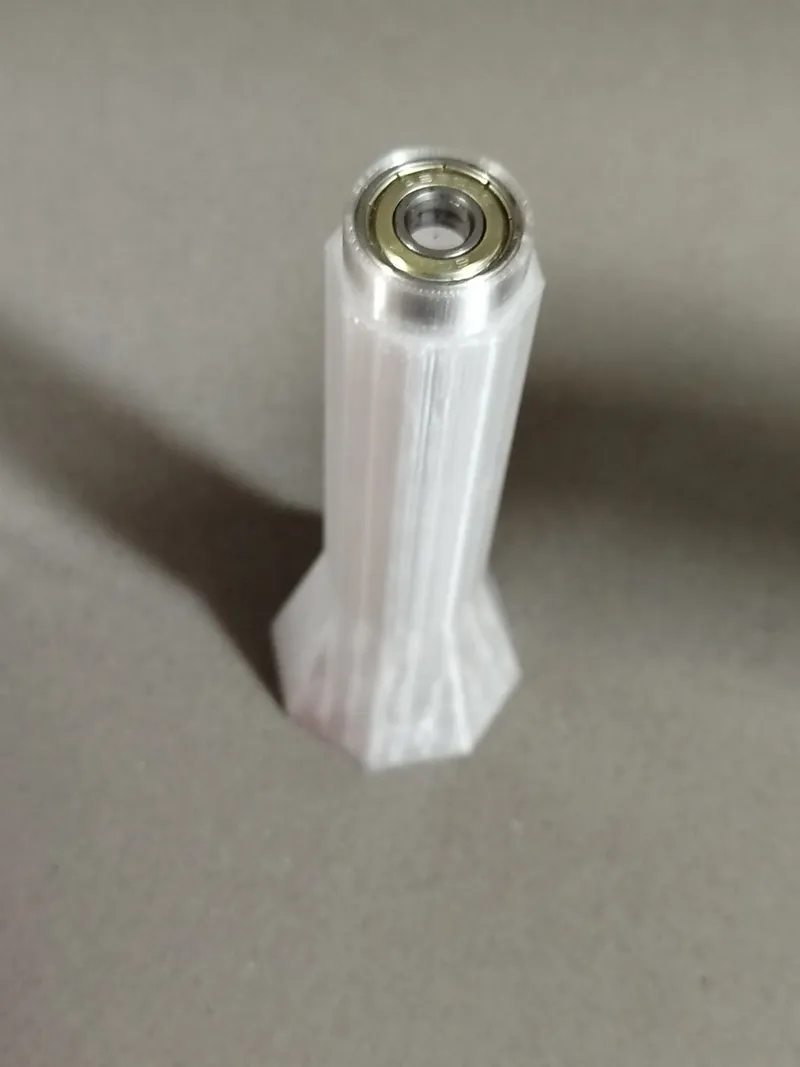
The base of the central column (centralColumnBase.stl) must also be adhered to the column. With this we have finished with the upper assembly.
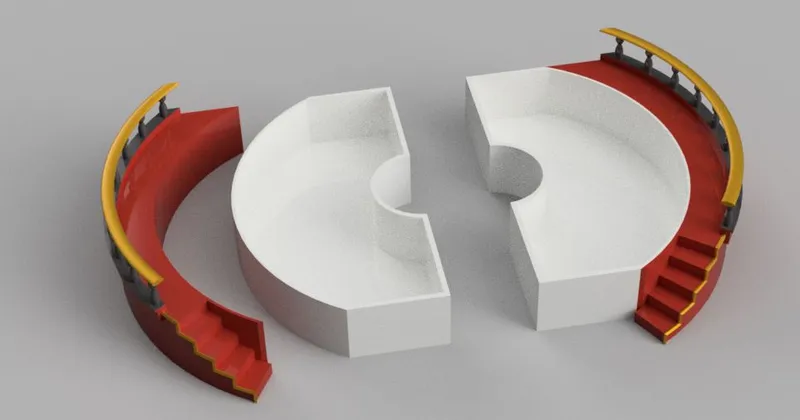
 To assemble the lower part, we will glue the two drawers (leftDrawer.stl and rightDrawer.stl) to their respective stairs (leftStaircase.stl and rightStaircase.stl).
These pieces are made in two parts to facilitate printing in several colors and to be able to print the two stairs together with the base. It is recommended to print the drawers in white, to be able to see the pieces inside better.
For those who wish to print the two pieces together, the files (leftStaircaseAndDrawer.stl and rightStaircaseAndDrawer.stl) are also added.
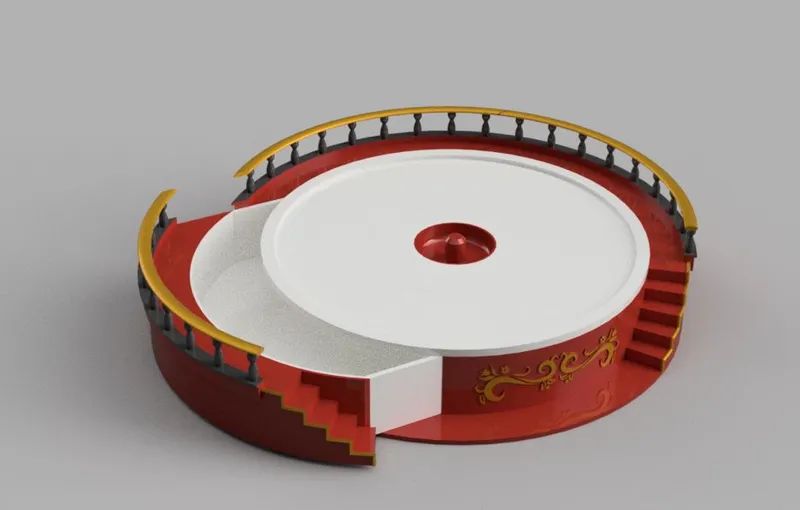
We will glue the top of the base (topBase.stl) to the base (base.stl) and insert the already glued drawers when the glue has dried.
To finish, we take the top assembly and place it on the already assembled base so that the bearing fits into the housing intended for it.
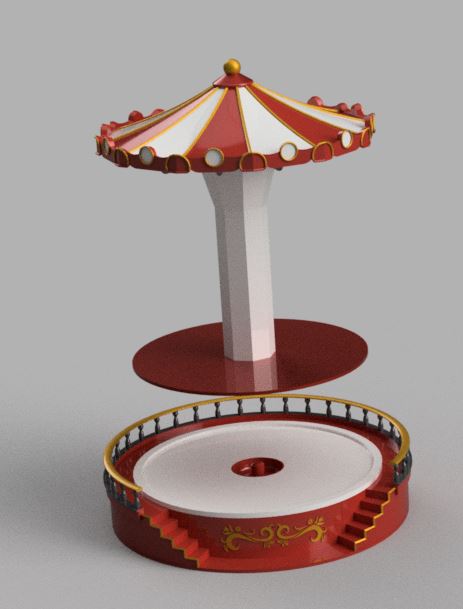
Now we can hang our earrings on the hangers and enjoy this original merry-go-round.
I hope you liked it.
You are prohibited from sharing, sub-licensing, selling, renting, hosting, transferring, or distributing the digital file or 3D printed versions of this object, as well as any other derivative work in either digital or physical form (including remixes).You are not allowed to use the objects in any manner that involves charging money or collecting fees without permission.