S1C-ACE翻盖支架-多色盒子翻盖支架/S1C-ACE Flip Bracket - Multi Color Box Flip Bracket


S1C-ACE翻盖支架-多色盒子翻盖支架/S1C-ACE Flip Bracket - Multi Color Box Flip Bracket
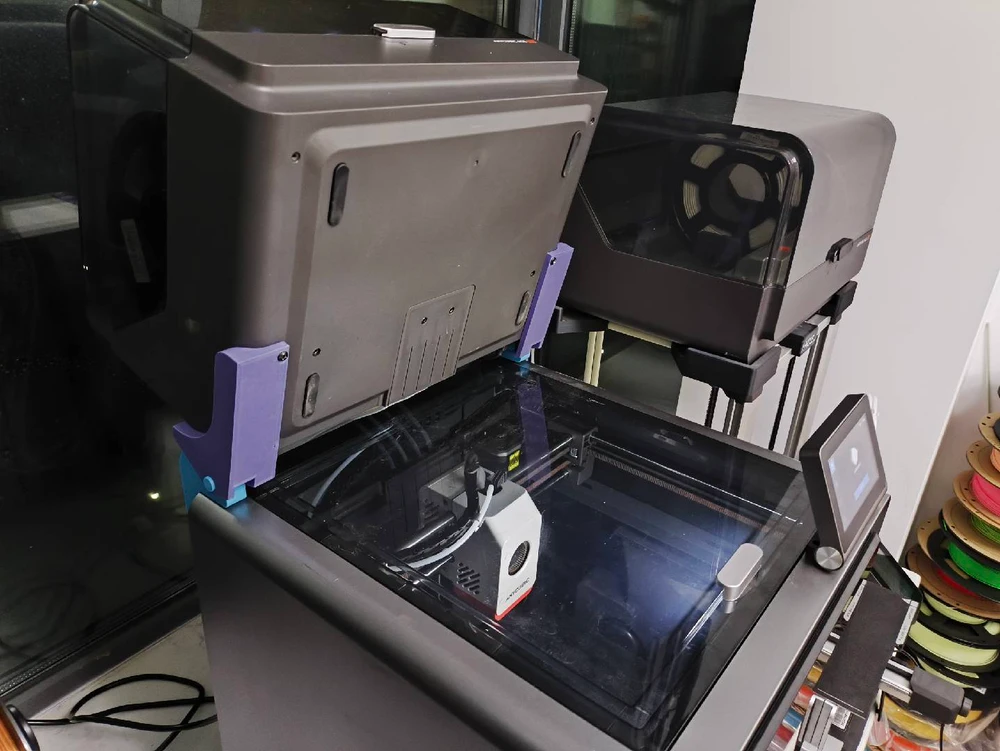
大部分人应该都同我一样将ACE多色料盒放到了S1C的顶部,这样会造成一个困扰,想要将顶盖拿下来,就需要将ACE的各种连接线断开,拿下来,才能打开顶盖,很是痛苦。
为解决这一问题,制作了该翻盖支架,想打开顶盖,只需要轻轻一翻ACE盒子,即可轻松打开顶盖,哪怕机器打印的时候同样也可以打开。
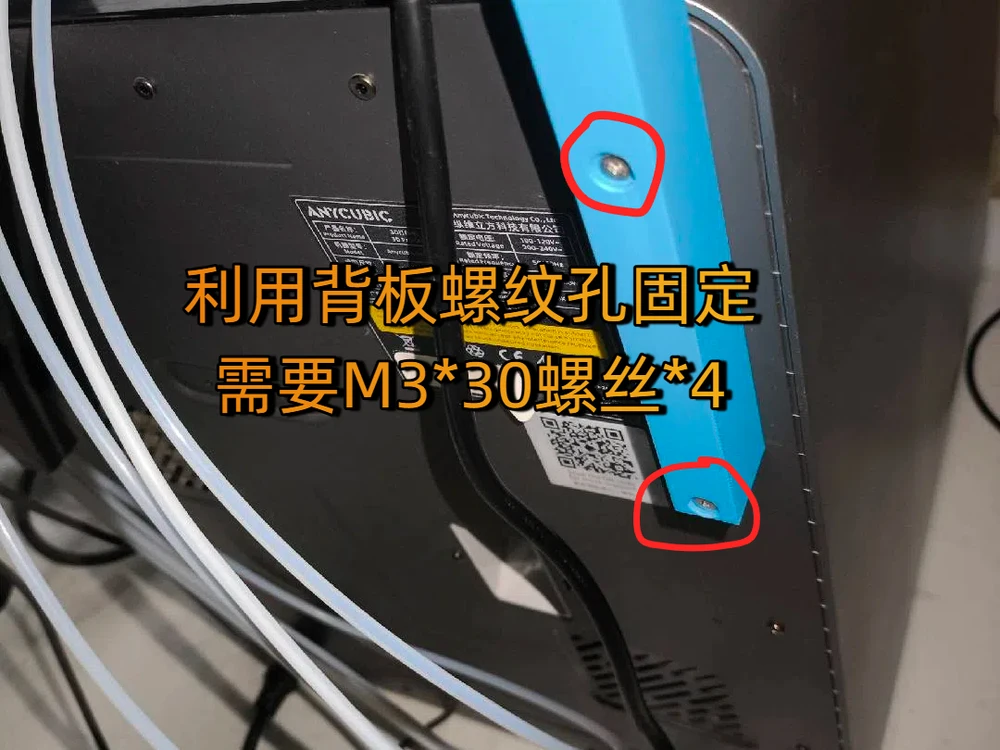
注:打印机连接:利用背板螺纹孔固定,需要M3*30螺丝*4
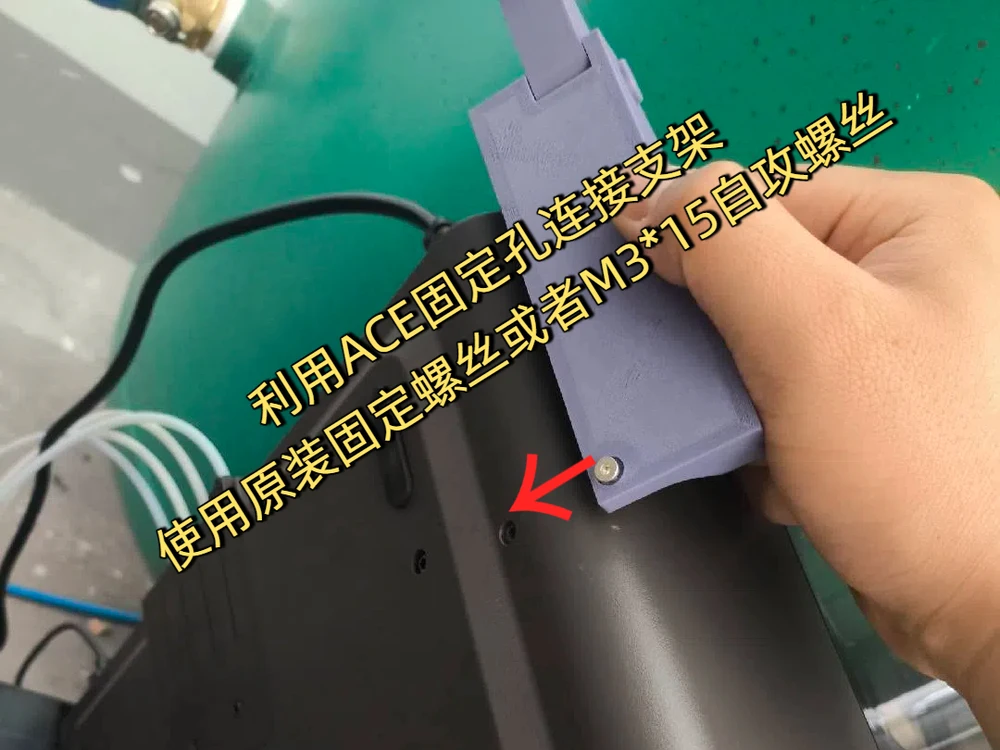
ACE盒子连接:利用原有运输固定孔固定,可使用原有固定螺丝,或者M3*15自攻螺丝*2
Most people, like me, have placed the ACE multi-color material box on top of the S1C, which can cause a problem. To remove the top cover, it is necessary to disconnect the various connection wires of ACE and remove them in order to open the top cover, which is very painful.
To solve this problem, a flip bracket was made. To open the top cover, simply flip over the ACE box lightly to easily open the top cover, even when the machine is printing.
Note: Printer connection: Use the threaded holes on the back panel to fix it, requiring M3 * 30 screws * 4
ACE box connection: fixed using the original transport fixing holes, which can be fixed with the original fixing screws or M3 * 15 self tapping screws * 2
You are prohibited from sharing, sub-licensing, selling, renting, hosting, transferring, or distributing the digital file or 3D printed versions of this object, as well as any other derivative work in either digital or physical form (including remixes).You are not allowed to use the objects in any manner that involves charging money or collecting fees without permission.